

Many times you might be frustrated for the fact that when you want to add an image to your email or want to add an image to compose page of WordPress of Blogger, you need to upload it first. You cannot copy paste images into any of the web based services. PicturePaste can help you solve this problem, this small, tool makes it a cinch to copy pictures, graphics, photos from any desktop app and drop them directly into your email, or Google Docs editor.
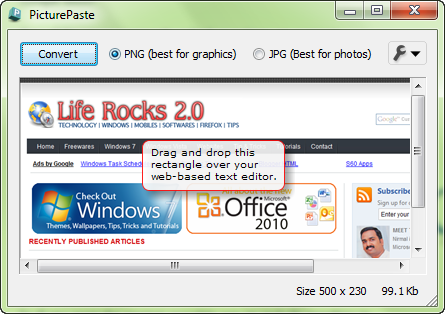
The application in itself has a simple interface, all you need is to drag and drop the image to be pasted, select any one of the image type and click convert. Once the conversion is done, you can copy paste or drag and drop the images directly to any web based rich text editors. Watch this simple video to get an idea about this tool.
PicturePaste works with Gmail, Google Docs word processor, ZOHO word processor, Windows Live Hotmail, Yahoo Mail, Blogger and WordPress and almost all web-based rich text editors. The images are uploaded to Amazon S3 account. This tool is not completely free of cost, with the free account, you can upload a max of 50 pictures.








Very nice. I’d like to show you this video with another example about how you can use a drag and drop plugin in WordPress to upload images easily.
http://www.youtube.com/watch?v=MDIkTGpkfwQ