

Windows Live Messenger Uninstaller is a freeware tool which basically remove any broken Windows Live Messenger installation. It uses only the windows installer (msiexec.exe) to do the job combined with the CLSID of the installation that uniquely identifies the WLM version. Many times when you try to reinstall WLW, it might say it is already installed but actually not so. With this tool, you can easily remove any traces of WLW from your PC.
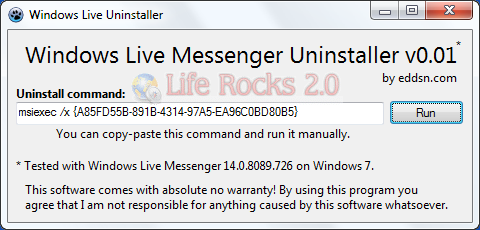
The application is completely portable and does not require any installation. If it finds an installation it will give you the uninstall command that you can use to manually remove it. You can also press RUN and it will run the command automatically for you.
The tool is tested on Windows 7, but should also work on XP and Vista.








a good site for all your live needs
http://messengergeek.spaces.live.com/blog/cns!E3785B1281BBDA1!3332.entry?sa=744400134
as well as Windows Installer CleanUp Utility
http://support.microsoft.com/kb/290301
which shows live programs to cleanup
I was a little skeptical at first, but I tried it (both manually and with the autorun) and it works perfectly. I had no problems. I would have searched for the .dll hkey whatever on my own, but wouldn’t know what to look for. Thanks for this!