

One of the main changes to Windows 8 is the new Start screen with Metro UI. Along with the Metro UI, Microsoft had released many metro apps for Windows 8. These apps include Email, messages, photos, videos, Windows store and many more other apps. So in case you want to access these apps, you need to open the start screen and then click on the respective tile. There is no direct way to create a shortcut on the desktop to easily access them.
MetroApp Link is a freeware tool which allows users to easily create a desktop shortcut for metro apps.
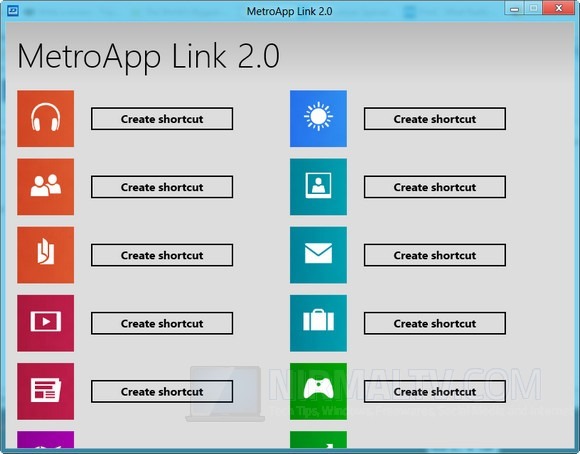
Just run the app and it populates the list of all the apps and you can click on the create shortcut button to add a shortcut to the desktop. Once created, you can easily access these apps from the desktop without opening the start screen.
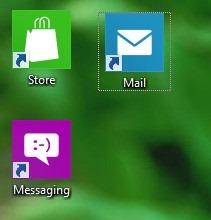
As of now the app populates on the default apps shipped with Windows 8 and does not include the third party apps installed from App store. The app is portable and does not require any administrator rights for creating shortcuts.
Download MetroApp Link [Via Technospot




One thing is clear when windows 8 will come there will be lots of things to do and really i am waiting for this from long time.