

If you are using Firefox as your default browser, then you might have saved bookmarks, passwords and other add-ons installed. Firefox is prone to crashes like other browsers and hence it is always safe to keep a backup of your Firefox Profile. Batckup Firefox is a simple freeware tool which runs in the command prompt and instantly backs up all your Firefox profiles to your desktop.
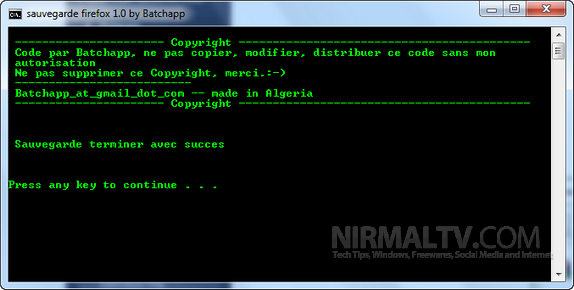
Just run the .bat file and it automatically detects the installed Firefox and the user profiles created. The profiles are backed up on the desktop as separate folders. The Firefox profile along with bookmarks ,favorites etc will be saved in a folder on your desktop.
Although the same procedure can be done manually, this batch file will do it in a single click.






OK. So we have a backup of Mozilla’s profile… how about the recovery from such a backup?! Do you have an answer to this, as well?!
Otherwise although it’s a manual process there is safer way through 2(two) Mozilla extensions: Firefoxsync and Siphon Sync! If you have these two extensions THERE IS NO NEED of something else!
@Xantes,
The recovery process has to be manual in this case. In the new PC where you have installed FF, go to the profiles folder and paste the complete backup there. Although it isnt the best of methods, still useful.
Can this batch file be made to save to a folder other than Desktop?
I’ve used MozBackup (http://mozbackup.jasnapaka.com/) for a long time for this process. It backs up profiles to whatever location you chose, will backup the entire profile or just the pieces you chose (bookmarks, extensions, cookies, etc), AND…is just as easy to restore the profile.
Hi
yes you can do that with
Batckup Firefox 2.0 by Batchapp
http://batchapp.webs.com/downloads.htm
thanks the latest version is here http://batchapp.webs.com/