

Although there is a default font viewer available in Windows 7 which allows you to view any selected font, it lacks features like size, color etc. FontBook is an awesome freeware tool based on Adobe Air which lets you to view all fonts installed on your PC. When you run the application, it fetches all the installed font and you can specify the text which you want to preview with the fonts. All the fonts are displayed in a neat interface.
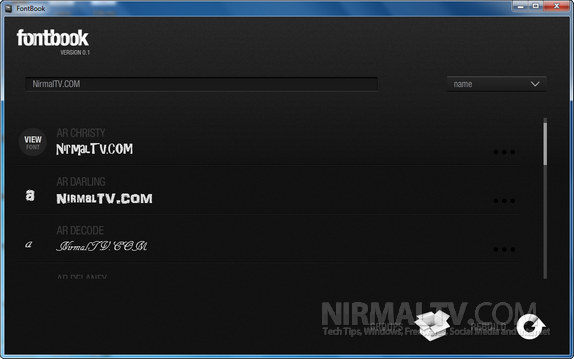
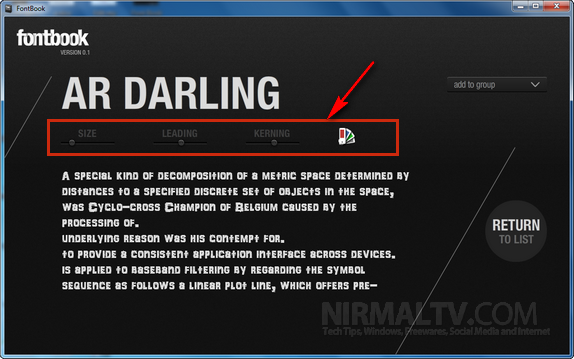
You can click on any font to get more details on the font. In the font detailed window, you can actually set the font size, font line height and also the horizontal spacing. You can also test fonts using different colors available.
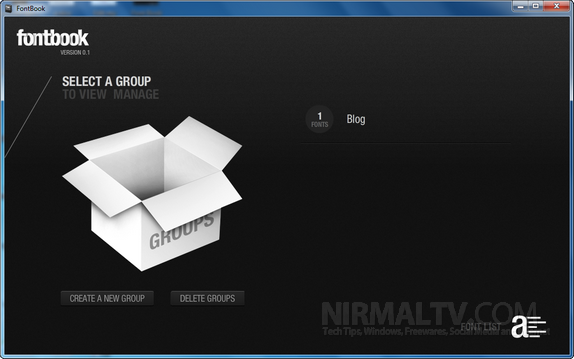
There is an option to add fonts to a group (you can create multiple groups). The advantage of creating groups and adding fonts is that you can view your favorite fonts quickly if you have 100s of installed fonts on your PC.
Related Reading: Preview Fonts in Windows
What makes FontBook an useful tool is the way it handles the fonts, you can preview easily with your own colors and text size. Since it runs on Adobe Air, you need to have Air runtime installed.








Better off using Nexus Font (http://xiles.net/downloads/#NexusFont) – no unnecessary bloated Adobe WAirs 🙂
Doesn’t seem to on the Adobe Marketplace any more. Looks great though. I did find DiskFonts font manager and viewer on there.