

Szoter is a freeware tool based on Adobe Air, which allows you to take screenshot, edit them and add text and finally share the image. You can have the screen capture done either using the web URL, or using the web cam or directly capturing the desktop screen. Once the screen capture is done, you can do basic editing and add text to the image. If you need to edit any locally saved images, you can use this tool.
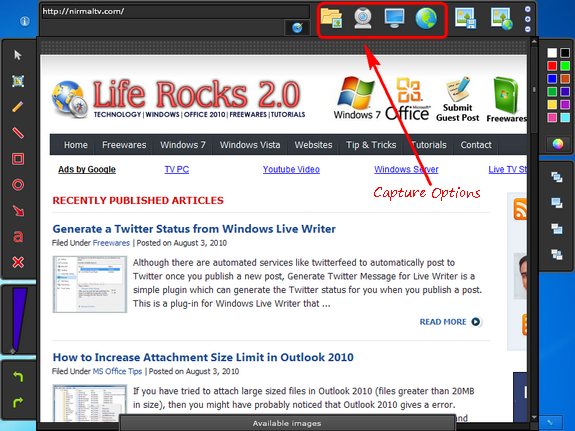
You can scale & rotate any image and also annotate with lines, rectangles, circles, arrows.
Feature of Szoter;
- Capture Your screen
- Capture Your mood via webcam
- Load local & network images
- Scale & rotate any image
- Annotate with lines, rectangles, circles, arrows
- Quickly sketch any shape
- Add text comments
- Adjust colors, outlines and size
- Easily crop Your workspace
- Save and share with friends
The service is available both in desktop version as well as online version.







