

FreeCommander is an easy-to-use alternative to the standard Windows file manager with lots of advanced and helpful features. Although with Windows 7, Windows Explorer has lots of new features, the portability of this freeware combined with features makes it a useful Windows explorer alternative. FreeCommander has a dual pane window which can be aligned both vertically and horizontally. You can also configure network location or an FTP drive.
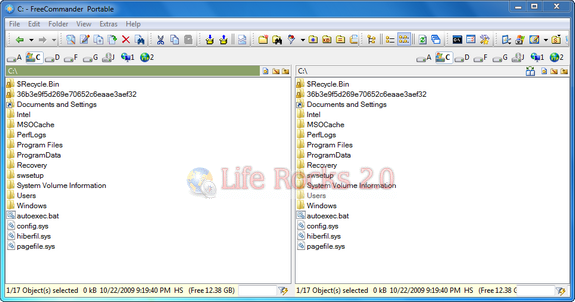
Features
- Dual-panel technology – horizontal and vertical
- Tabbed interface
- Optional tree view for each panel
- Built in file viewer to view files in hex, binary, text or image format
- File viewer inside archives too
- Built in archive handling: ZIP (read, write), CAB (read, write), RAR (read)
- Nested archive handling
- Built in FTP client
- Easy access to system folders, control panel, desktop and start menu
- Copy, move, delete, rename files and folders
- Multi rename tool
- Wipe files
- Create and verify MD5 checksums
- File splitting
- File properties and context menu
- Calculation of folder size
- Folder comparison / synchronization
- Modification of file date and attributes
- Folder / program favorites
- File searching (inside archive too)
- File filters for display
- User defined columns for detailed view
- DOS command line
Download FreeCommander Portable Version






