

Firefox is a pretty good browser with support for themes and thousands of add-ons for customizations. But with passage of time, Firefox starts slows down and takes more time to start and overall navigation becomes slow. SpeedyFox is a free and small utility that fixes the problem of Firefox slowing down. After you optimize your Firefox with this tool, you will get a fresh newly-installed feel because the speed indeed gets considerably faster. Speeyfox attributes this problem to fragmentation of database.
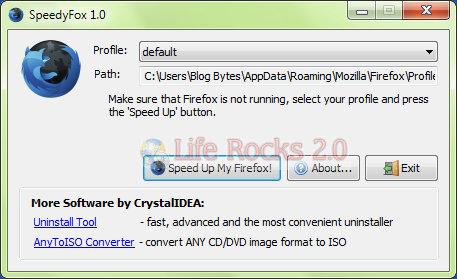
Once installed, it will automatically detect your Firefox’s default profile. If you have more than one profile, you can select the one you want to optimize from the drop-down menu. All you have to do is select the default profile that you want to optimize. Make sure that you have closed Firefox before using this tool.
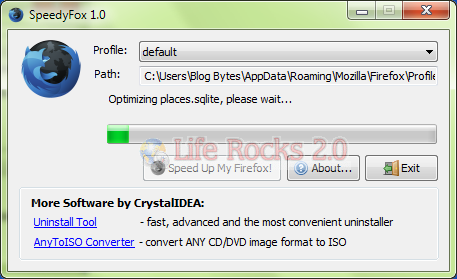
The optimization process can take time based on your data available with Firefox. The whole optimization process is safe as it does not effect your history, bookmarks, passwords, etc.



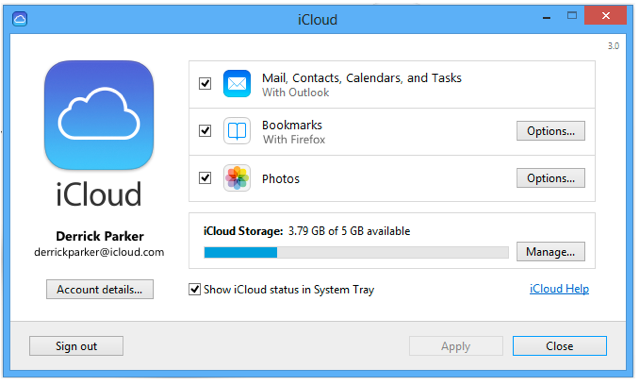

this tools says to me that the default profile isn’t right.. any help??
Good stuff.
there is an add on for this…https://addons.mozilla.org/en-US/firefox/addon/13824
this site is copying your articles
http://sizlopedia.in/?p=1127
Cleans (compacts) all the SQLite databases (of the Firefox user’s application folder), creates them if they are missing (I had urlclassifierkey3.txt only, it created urlclassifier3.sqlite), it is fast and reliable. Excellent little gem. Life Rocks, thanks.
thanos > Mozilla add-on : “This extension allows you to defragment (vacuum) the Places database, used by FireFox.” – SpeedyFox compacts ALL SQLite databases, not only places.sqlite …
If I use this app and then I unistall it, Will this still working on my Mozilla? or I’ll lost all the “optimization” this gave it to me?
It would be nice to see a Mac version?