

We have discussed some of new features in Office 2010 including a review of Outlook 2010 which has gone for a complete change with ribbon feature. Many of the features have changed the way it is being accessed in Outlook 2010. In Outlook you have the option to recall or resent a mail which you have already sent. The option to resent or recall a message has been changed with Outlook 2010. In case you accidently sent a mail or you want to resent the mails, follow the steps below.

Go to the sent items folder and open the mail which you want to recall or resend. Click on the office icon on the top of the mail and in the settings you can see the option to recall or resend the mail.
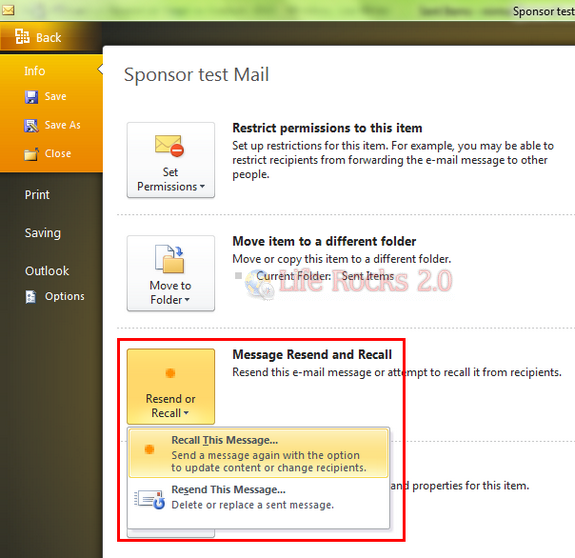
When you select Recall This Message, a pop up opens up asking you more options on recalling the message.
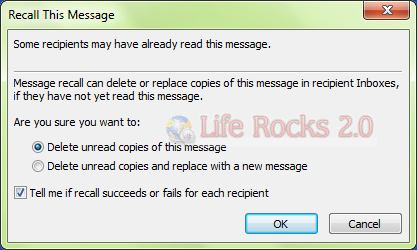
If you want to Resend the mail, a new mail window opens up with the content and you can resend it.



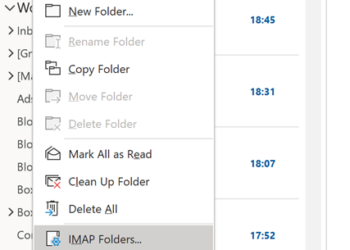
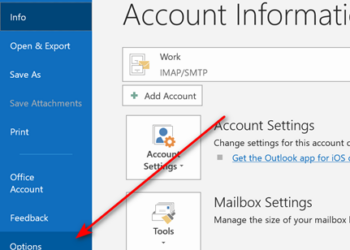


It’s worth noting that the ability to Recall a message is (typically) limited to corporate users.
Joe User, using Outlook at home to send and receive his Yahoo/Gmail/etc mail, might think that attempting to recall that email about Bill Gates giving money away after he visited Snopes.com would safe face, but alas, he’ll suffer even more embarrassment when his “reply all” stating that he “recalled” the message is met with further mockery.
Seriously, folks, recalling email is handy, but even in corporate environments where it’s possible, the recipients can often still see the email! Don’t rely on it to delete the dirty pictures you meant to send to Al at XYZCompany when you inadvertantly emailed it to “[email protected]”
i’m welling to recall an email in outlook 2010
How are you notified when the email was deleted or changed? I have done this a few times in 2010 and have never been notified even with the box checked to notifty me if it worked or fail…? I do love the 2010 Office Pro : )
Re-arranging the user interface is wasting a lot of my time. It provides no extra efficiency wastes a bunch of screen space and forces me to re-learn all that I already knew. Why do I need the picture of an envelope with an arrow pointing to the left? If I knew what that graphic meant it wouldn’t need to say “Reply” under it. Forced to use this RIBBON. Please don’t promote this is as new feature. It’s a good thing MSoft doesn’t build automobile cockpits. There’d be a lot of dead people on the highway. Thanks for listening
Outlook 2003 was a good product. Outlook 2010 suks big time. Where is my sent file? Where is my delete file? Where is my junk file so I can get back what shouldn’t be there. Every time Bill Gates tries to out guess what I really want to do, I get led into a black hole. And online help is super slow and of no use.
hi guys, i just need to check with you guys. if i send out a mail and i want to recall it back i click on recall and click on ( Tell me if recall succeed or fails for each recipient ) but i didn’t get any message, so i don’t know weather the mail is recall succeed or fail. btw i am using exchange to exchange. so is internal email.
please help.
Thank you
Recall works on exchange server, but if any recipient has read the email, recall wont work AFAIK.
Does this still work? I have Microsoft Office 2010 and I can’t find a way to do this… only delaying sending (future) messages to avoid embarrassment.
Is this Chinnesse Outlook 2010 cause this does button does not exist in American Outlook 2012
Ah I found that too – they have not made it clear – you need to open the email and on that window go to File > Info and the Recall/Resend option is there 🙂