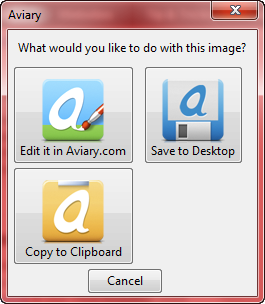
Aviary’s Firefox add-on allows you to do screen capture inside Firefox and also edit the captured image online using Falcon Image Markup. Using this Firefox Extension named Talon, users can quickly perform screen capture on select regions or even entire web pages. Users can capture data to their desktops, clipboards, or even markup and edit the content directly in Aviary’s applications. Falcon can be used to crop, resize or mark the images online.
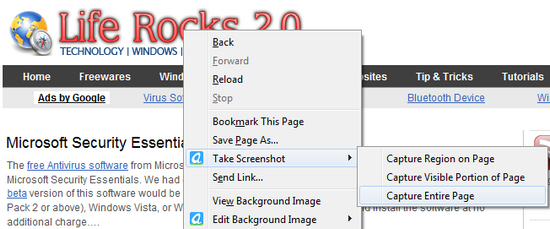
Once installed,the add-on provides an option in the right click menu as well as on the tool bar. You can take a screen shot of the page or a region and if you are logged into the online account of Aviary, you can even edit the captured image. You can also save the captured images to desktop.
Apart from this, the Add-on also provides another option to directly edit background images with Falcon, online image editor.
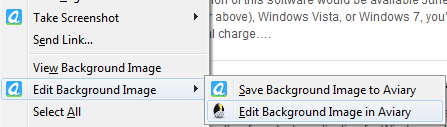
This will open up Falcon online image editor. You can do some basic image editing with Falcon.
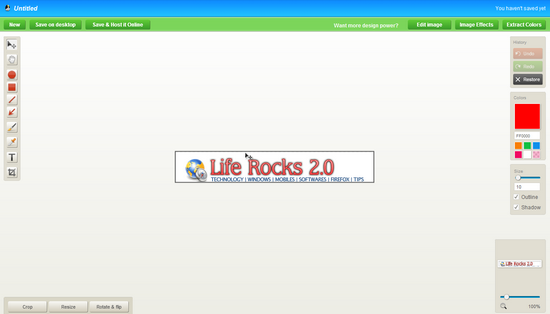
You can use the built-in color picker tool to extract web color values from images and screenshots. There is also draw arrows, edit text, make shapes and everything is selectable. Move, rotate and resize anything added to the screen.
Download Aviary Firefox Add-on | Falcon Online Image Editor