

Quick PDF Tools is a free set of tools for Windows which helps in editing and managing PDFs. It can convert images to PDF, edit PDF properties, add and remove open passwords, merge PDFs together, edit the initial view for PDFs, remove all bookmarks from PDFs and much more. All these functions of editing and managing PDFs are available from the right click menu in Windows which makes it very easy to use.
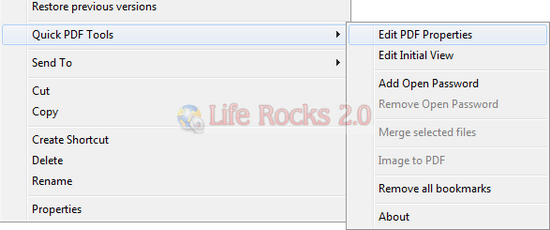
The context menu options are enabled or disabled based on the file you select, for example when you select a single PDF file, you can edit properties, add password or remove bookmarks. If you select 2 PDF files, then merge selected files option is enabled.
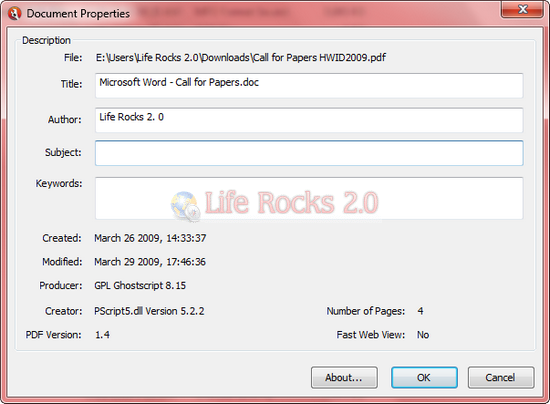
Features of Quick PDF Tools;
- Edit the Title, Author, Subject and Keywords property fields of single or multiple PDFs at the same time.
- Edit the initial view for PDFs on your desktop without opening them.
- Merge all selected PDFs together effortlessly.
- Convert selected images to PDFs.
- Add and remove open passwords on PDF documents.
- Remove all bookmarks in a PDF with one click.
- Extremely easy-to-use and quick to load.
Quick PDF Files once installed will add entry to the Windows context menu.








Hey Nirmal
this is handy…..
hello Nirmal
till now i have been using Foxit pdf editing tools…i will try Quick PDF tools and shall check if it is better of the two.
Finally achieved my task for making College PDF. thank to you!
Hey Nirmal Sir,
I was looking for this PDF merger info. and found it here… really appreciate your valuable work here!
Hope to see more awesome stuff soon..
-Rajinder
Very Nice content Sir