

PowerMeter is a tiny and free application that monitors your battery power and becomes more visible as the power level becomes critical. It shows the percentage of battery remaining and this is shown in different colors for easy identification. It can also warn you when the battery falls below 20%. You can also configure the PowerMeter from the context menu of Windows.

Display when battery is full

Display when battery is medium
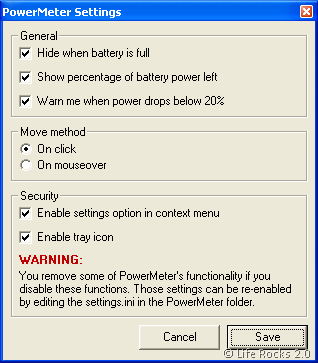
The indicator colors are when battery is nearly full above 80% = green, below 20% = red, in between = orange. You can also enable the application to run in system tray.








Nirmal BatteryBar would be a better alternative.
Cool, Leme give it a try thanks for sharing!
i use and like power meter on my laptop.
i’ll have to try out battery bar. thanks for sharing.