

WiseStamp a Firefox extension enables you to easily customize and add personalized email signatures on any webmail service like Gmail, Yahoo, AOL mail, Hotmail etc. Webmail services generally does not allow to add a HTML signature and this service is of great help for people using Firefox. With WiseStamp users get to add links to other sites, choose the font and color and add links to their different social network profiles. It also helps you to add your own logo to the signature.
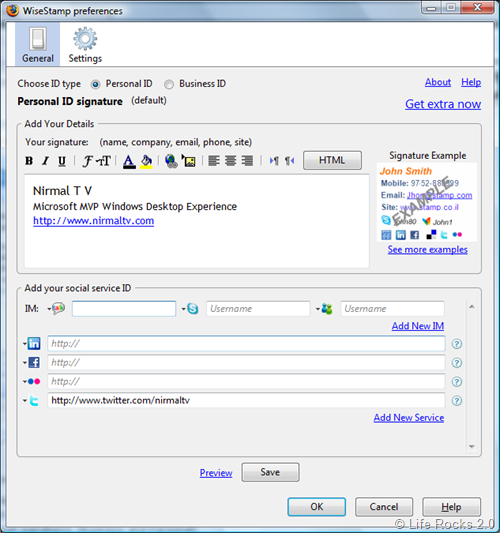
Once you have entered the details, you can preview your signature.
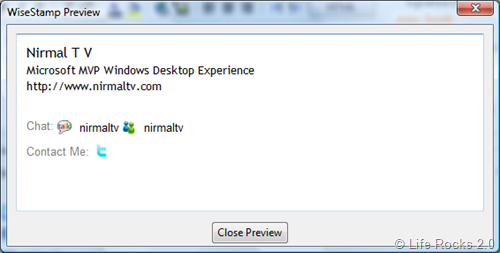
Features of WiseStamp;
- Personally designed signatures
- Easy setup and configuration interface
- Use multiple email signatures (Business and Personal)
- Signature Rich Text editor
- Add your logo or image to your signature
- Automatically insert your signature to your webmail services
- Supports to all webmail functions- Compose Mail, Reply, and Forward
- Easily Include all your IM ID’s and also support for icons
- Easily link to all of your social services-links & Profiles + icons
- Manually add your signature at mouse cursor location
- Preview your while editing Signature
- Simple control- switch signature on/off
- Support for special characters
- Works with Gmail, Google App’s, Yahoo! Mail, Hotmail, AOL etc
WiseStamp is a really good add-on worth trying.




Hi Nirmal
Thanks for the review 🙂
WiseStamp
I use Wisestamp and must say its too cool.. Other way to do the same thing is by using a greasemonkey script…
Thanx)
Great…!! that’s great advice good work, I read and also saw your every post, nice artical very usefull your post Thank you so much for sharing this and the information provide.