

There are online services to take screenshot of website, but Web Screen Capture is a free utility for Windows for taking screenshot of website. Web Screen Capture does not require any installation. It can take web site and web page screenshot and thumbnail and it can save them as full sized images. It also supports different image formats, you can save screenshots in the JPG/JPEG, BMP, PNG, or GIF formats.
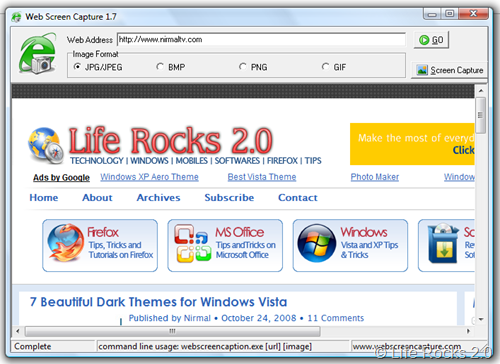
This freeware support command line usage, you can convert html pages to image in batch. To run the application in command line, use the command webscreencapture.exe [url] [image] where image is the location where image is to be saved and URL of the website.
Features
- Create full size screenshots of website pages.
- Supports JPG, GIF, PNG, BMP image formats.
- Supports command line usage.
- Supports batch convert with command line.
- Simple, very fast and easy-to-use.







