

Windows Vista has a new feature of thumbnail previews of open programs in taskbar. This feature can be enabled in Windows XP as well, all you need is the freeware Visual Tooltip. This freeware creates thumbnails for the taskbar which can positioned as you like and it can also replace your taskbar. Visual Tooltip makes it possible to show a thumbnail of a window by putting the mouse cursor over a button of the taskbar.
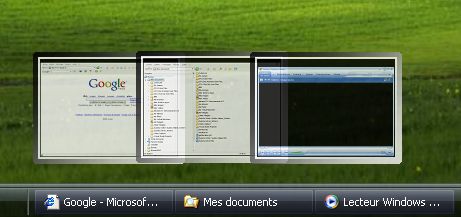
After downloading the software, install and run it. The tool appears in the system tray and right click for selecting options. You can set the size, background and transparency of thumbnails.
You can also pull a thumbnail at any place on the screen by dragging and dropping it. It remains in the foreground and is updated regularly.
Visual Tooltip can also replace your taskbar with a three dimensional dock bar, similar to the ones in Mac.
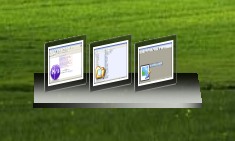
Thumbnails added as a dock bar.

The thumbnails can have various rotations ( from 0 to 80 degree, CTRL key + mouse move on dock or on thumbnails, without clicking ).
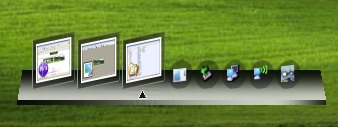
The dock bar can replace the taskbar.
Visual Tooltip is a great software with lot of options considering the fact that its a freeware. Visual Tooltip is available for Windows XP and Vista users.
Img Src: Visual ToolTip








I’ve used Visual ToolTip in the past and liked it. Another cool program that runs on XP is called Object Dock Bar. It doesn’t mimic a feature of Vista, but it’s a toolbar across the top of your screen that lets you access favorite locations quickly.
Another similar software is Visual Task Tips. Download it free at http://www.visualtasktips.com/
There is a microsoft powertoy for Windows XP named Alt-Tab replacement available for above functionality.
It can be downloaded from here:
http://download.microsoft.com/download/whistler/Install/2/WXP/EN-US/TaskswitchPowertoySetup.exe
Anyone know how much resources are this uses?