

Windows Genuine Advantage (WGA) is a Microsoft notification tool to check whether the copy of OS running is genuine and not a pirated one. Once the WGA Notification tool has checked your OS and has confirmed you had a legit copy, there is no decent point or reason to check it again and again every boot. RemoveWGA is a simple tool to remove the WGA notification.

Features of RemoveWGA;
- Tell you if the WGA notification tool is active on your system
- Allows you to remove the WGA notification tool from your system
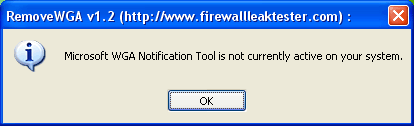
NB: Windows Genuine Advantage Notifications is different than Windows Genuine Advantage Validation. RemoveWGA only removes the notification part, phoning home, and does not touch the Validation part.







Does it make the +OS faster during the reboot?
I don’t think so, but it works?
Why my virus detection program detect it as a virus?
It is truth? any expert on this?
Dont know Lee. Hehee..
Maybe it works like a virus? Modify protected item, and antivirus unable to identify that RemoveWGA.
Its my own theory, maybe its true, maybe not.
WGARemover tool
pl send me above tools
download here..removal tool
http://www.ziddu.com/download/5479220/RemoveWGA.exe.html
The most easier steps to remove Windows Genuine Advantage Notifications Installation Wizard permanently within 1 minutes!
http://www.articles-list.com/software/How-To-Remove-Windows-Genuine-Advantage-Notifications-Installation-Wizard_50972/