

Many of us are bored seeing the looks of Windows XP (although Vista has a better look), so the most common tendency is to change the look of XP using a transformation pack. Transformation pack allows you to change the look of XP to Vista, Mac OSX or Linux. Here is a list of Top Transformation packs which can change the looks of Windows XP. This list also includes a transformation pack for Linux.
Note: These transformation packs could change the files in Windows, so read the instruction carefully before testing it.
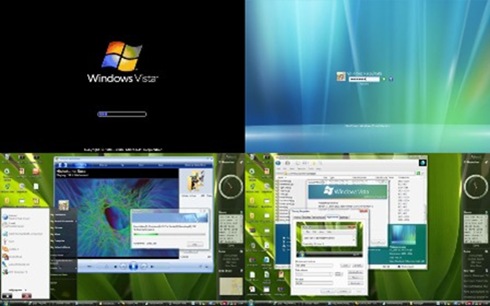
1. Vista Transformation Pack: This is one of the most popular transformation packs, this converts the looks of XP to Vista. Vista Transformation Pack will transform your Windows user interface to ultimate Windows Vista alike looks that everyone will never notice it’s the same old Windows XP (or 2003).
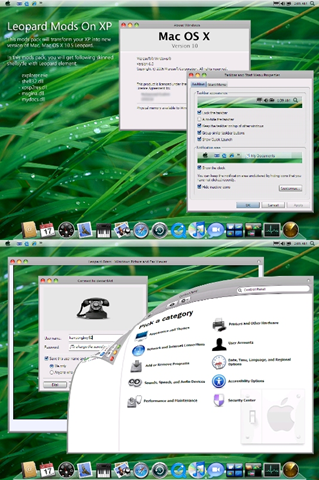
2. Mac OSX Leopard Transformation Pack: I have already written about this pack. This pack turns your Windows to Mac OSX.
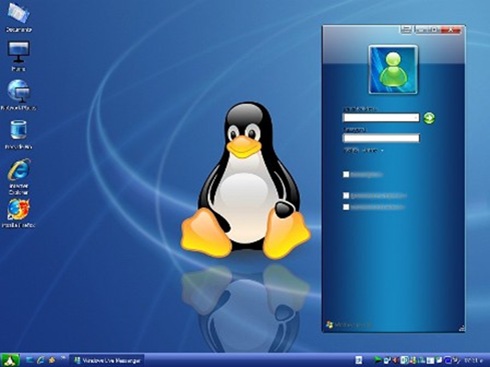
3. Ultimate Linux Transformation Pack for XP: This pack turns your XP into Linux. This pack has different custom styles to have different looks, Ubuntu, KDE etc.
4. Fedora Transformation Pack: Fedora transformation pack will freshen up your desktop with a great new look, including new themes, icons, wallpapers, screensavers and much more.
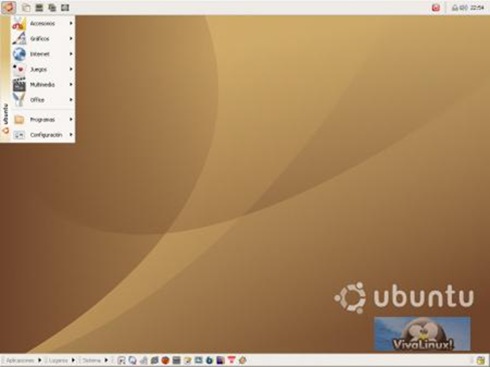
5. Ubuntu Transformation Pack: As the name indicates, this pack gives the fresh looks of Ubuntu in Windows XP.
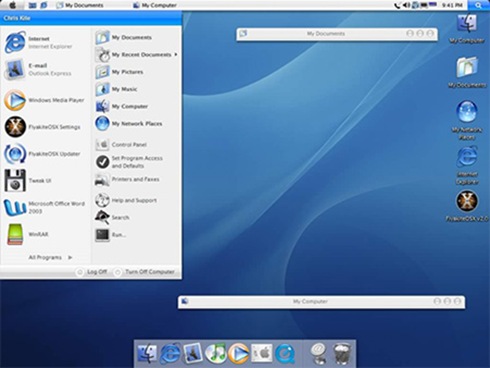
6. FlyakiteOSX: This will transform your Windows XP into Mac OSX. This pack makes your Windows completely into OSX including registry changes, icons etc.
7. Mac OSX Ultimate Transformation Pack: Another pack for transforming your XP into Mac OSX.

8. Longhorn Transformation Pack: This is one of the oldest pack released prior to launch of Vista. Although this pack is pretty old, you can check out how Vista looked prior to its launch.
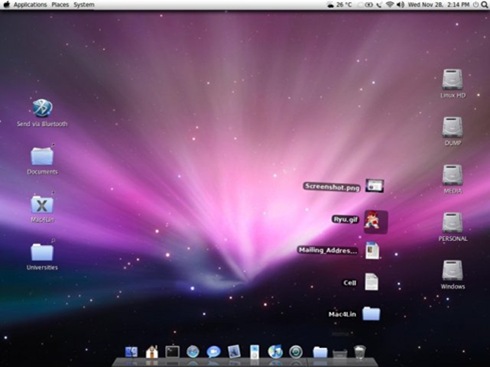
9. Mac4Lin: This pack is for Linux users who need Mac OSX looks on their Linux desktop. This brings the user interface of Mac OS X (newest version being 10.5, Leopard) to GNU/Linux.
If you liked this post, please give it a Stumble or Digg.








WOW! Awesome list 🙂 Dugg and Stumbled!
Good list. I’ve used Flyakiteosx for quite some time, but didn’t find it to be completely like Tiger/Leopard. Will try some of the other packs to emulate Mac (until I get a real one 😉 )
Btw, is there a restore option for any of these, other than to use System Restore (I hope SR works, haven’t tried myself)
@Harris,
Thanks for the Digg and Stumble.
Great post.. anyway don’t need as I already run Leopard. 🙂
Stumbled. 🙂
By the way… Mac4Lin is your best bet if you want to emulate Mac interface. Stay away from FlyakiteOSX as it’s known to have issues.
@Sumesh,
I guess no TPacks would convert the OS fully.
@Ashwin,
I think we need Vista transformation pack for Mac OSX. 😀
Mac4Lin is a good one for Linux users.
Good post, i know only few of these packs. Dugg and stumbled 🙂
Nice collection of transformation packs I guess I will try out the mac one 😀
That was a nice post from you.
And you got a nice increase in the no: of RSS subscribers too…
from 888 to 915…
congrats..
Nice collection dude stumbled!
i used to try these a lot before now i am just happy with simple xp interface 😀
@Aravind,
The Subscribers increased before that post. 🙂
@Shashank,
Thanks for the Stumble.
Holy crabgrass! I never knew about this stuff, cept rubbish basic ones
Stumbled!
Kindly return the favour though lol
A comprehensive list of transformation packs. Stumbled.
Ashwin INDIA Mac OS X Safari 525.13
Mar 28th, 2008 at 4:00 pm
By the way… Mac4Lin is your best bet if you want to emulate Mac interface. Stay away from FlyakiteOSX as it’s known to have issues.
———————-
i actually had to reinstall my XP after using Flyakite…dont use it..please..
Thats a good list which I guess it covers almost everything…I would be really happy if all this works in Vista….
Really a cool collection of transformation packs.
Stumbled!!!
Stuuuuumbled!!
Seriously, if you want XP to look like Ubuntu, just install Ubuntu. You’ll be 110% happier when you do. 🙂
Nice post, stumbled.
what a nice post looks too beautiful to eyes, u gathered all the good transformation packs in one place, keep up the good work bro stumbled, digged
hey thanks to you my computer transformation. I use Xp transformation pack by windows x. I was bit hesistant in using that because it did not pass the windows verification. But its really good. I love it
hey, i used Vista Trans. and it didn´t really work out great, can´t recommend it to 1024 ram users..
hi…thanks for this site my computer turns to awesome transformations i love it…see the effect i used mac OSX, windows vista, leopard and others…i really can’t afford to buy these kind of application but now i can download and used it for my personal needs wheeeee…isn’t that great? 🙂
Im going to play with this thank you http://www.teachingutomakemoney.com
thanks for these gr8 packs
Hey I was wondering. If you have windows vista is it possible to transform any of these packs within vista as its basically looks like xp.
Ha, I read that as Transformers Packs For Windows. This is certainly better! Great work!
I liked this page. You left out the best one though 🙁 Check this out, Alienware has developed an XP transformation pack, it’s free and makes your computer look like alienware – there is 4 or 5 options too….
http://www.alienware.com/intro_pages/invader.aspx
Phoenix
I stumbled across this on someone else’s site
Prefered the other site
More helpful
Nice post man !! Keep it up
Good info., but I found out on You Tube that hyping up Win XP…just uses up memory, and I think it loads slower, so I just keep a blue screen with a vertical pic in center and also have task bar like the old win 98 ..standard grey instead of the XP green start with blue bar. Call me old-timer 🙄
Thank you so much.
its relly a great software.its give a satisfied result
hi
i like the vista transformation pack very much and of course the mac leopard os pack…..
plis post some kewl stuffs like this
thank you
kip it up
u rock
i make the operating system but i do noting
please help me any one…………….
I stumbled across this on someone else’s site – truely amazing keep it up.
hello
it is a very good website.i appreciate it
i download Mac OSX Leopard Transformation Pack, but i do not know how to install it. anyone help, please? thanks
Awesome!!!..This website really rocks!!!!!!…thankQ
The Best Transformation of Windows Xp into Ubuntu is Given by Rajesh Patel of “Tweaking Windows”. He has Created the Best Tutorial!!!
Link: http://www.rajeshpatel.net/transform-windows-xp-into-linux-ubuntu-without-using-customization-pack/
hey, i really love this transformation pack.
especially when it comes to flyakite… 😀
i kie this that you are doing. am charles one of the fedora community member. up we go linux than XP. thanks alot for this my people.
I don’t know about you, but in the first place if you want the features of a mac then buy a mac. If you want linux, then use linux. This just makes your OS look like another, that is it. It even slows it down significantly in the process. Why would you want this?
They are all cool.
Do these packs give any kind of problem when uninstalling .i.e. does it restor bsck to XP without any glitches or left over problems?
i want windows ultimate theme for free
Oh yeah, I have had Huge issues with FlyakiteOSX. It took me days to fix my computer.
Great post.. anyway don’t need as I already run Leopard.
Stumbled.
Mac4Lin Looks Good For Linux !!!!!! I Wish They Had The Same Type For Windows XP But I Am Getting A Macbook In A Week So I Really Don’t Mind!
hey2 could i ask sumthin?
is there any Alienware Transformation pack for windows vista?
I like this……..
Thank you..
Y only SP2 can use . can you cr8 1 for SP3?
is there an alienware transformation pack???????
alienware runs windows, smarto