

Text Editors like Notepad for Windows comes with very basic features and does not have advanced features. Dolphin Text Editor Menu is a freeware tool which when installed, add extra functions to any text editor in Windows including Notepad. Dolphin Text Editor Menu will work with any software where you can type paragraphs and this includes OpenOffice Writer, Word 2010, memo-boxes in Firefox, Notepad, Wordpad, html/php editors, etc.
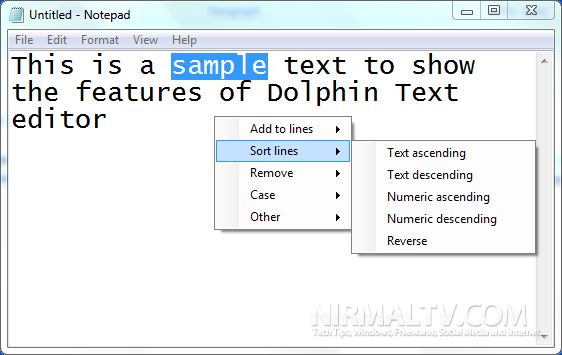
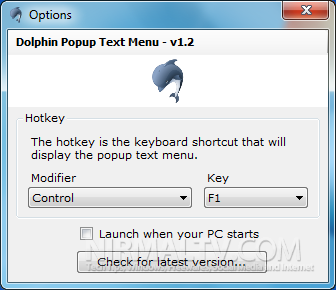
To use the tool, just press the hot keys after selecting the text you want to modify. The hotkeys can be set from the options which can be accessed from system tray in Windows. Dolphin Text Editor Menu gives you numerous text formatting tools, but only shows itself when it is needed.
Features of Dolphin Text Menu Editor;
- Sort text alphabetically
- Reverse line order
- Remove blank lines
- Change case to upper/lower/title
- Remove duplicate lines
- Add text to lines
Dolphin Text Editor Menu doesn’t replace your current text editing software, but instead, it makes your text editors better.
Download Dolphin Text Editor Menu







