

Have you ever wanted to automate some of your regularly used mouse and keyboard actions? If yes, you can try out GhostMouse, a freeware tool to record and play mouse and keyboard actions. GhostMouse Win7 is a tiny program that lets you record and playback a series of keyboard and mouse actions, and saves operation records as script files for later use. You can record actions and then play them whenever you want to repeat a set of actions you have performed.
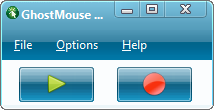
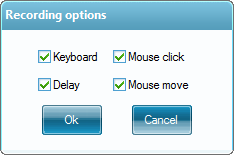
The interface is dead simple, click on the red button to start recording and when you want to play click on the play button. While recording, you can set what all actions need to be captured by the tool.
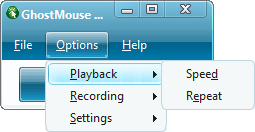
For playback, you can set the speed and also repeat it using the settings.
Features;
- Compact and easy to use
- Windows automation software
- Record all mouse and keyboard events
- Convenient settings interface
- Using recorded files anytime, anywhere
The app is perfectly compatible with Vista, Windows 7, and 64-bit systems.







