

There are many applications which can cause crashing of Windows and also unnecessary junk files even after uninstall. As a result your PC might start becoming slow. WinMate is a freeware tool which uses the latest technology to scan your whole computer and find errors, not only it finds errors, it also offers a wide range of powerful utility and security software for computer optimizing. It features build-in junk file cleaner, service optimizer, program uninstaller, plug-in remover, memory tweaker, defragment tool and many more.
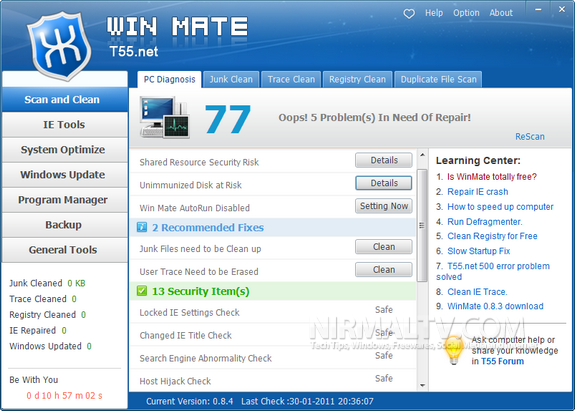
The main interface comes with 7 tabs which includes features like scan and clean PC including registry and junk files cleaning, IE protection tools, system optimizer, Windows update manager, program uninstaller and also option to backup.
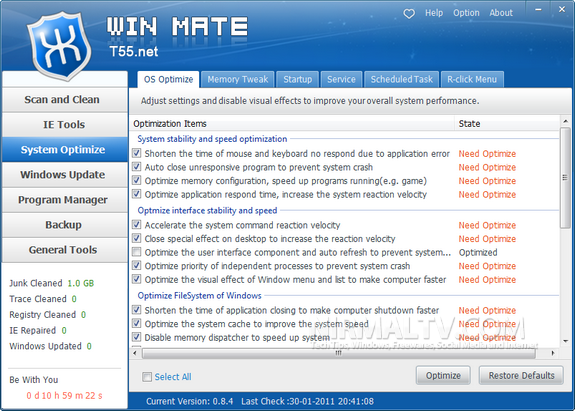
Some of main features of WinMate;
- Automatically Scan registry and repair the error items WinMate detect for you.
- Scans and fixes your Windows system errors, protect your Windows system from crashing, freezing and blue screen problem. Register DLL & File Association & Duplicate files scan & Invalid file remove.
- WinMate checks up your hard disk and find the fragments which prevents computer from running smoothly. Disk defragment rearranges and physically organizes the contents on your Hard Disk to fix slow computer.
- Memory Tweak utility recover the memory to free up it.
Overall WinMate offers many features and it comes as a free tool. WinMate is compatible with Windows 7, XP and Vista both 32 bit and 64 bit versions.








Can you tell how I can get to know if someone is using my PC or not… Because from many days I am feeling that someone is accessing my data and seeing everything I do on my PC… Can you please help me?
Nice info. Their is another great tool name as CCleaner which i very simple and easy to use.
Check out it’s step by step guide at http://omgeureka.blogspot.com/2011/01/clean-all-of-your-computer-junks-with.html
Looks like a powerful tool, thank u for sharing.
This program rocks me. Thank you for your pst. My computer runs faster now.