

We have seen the background removal tool available in Office 2010. Picture Cutout Lite is a simple and freeware tool which allows you to easily remove backgrounds from any image by specifying the objects you want to retain in the image. The application offers a tool called Wide Edge which allows you to separate an object from its background and to store it for later transfer to another photo and applies background effects.
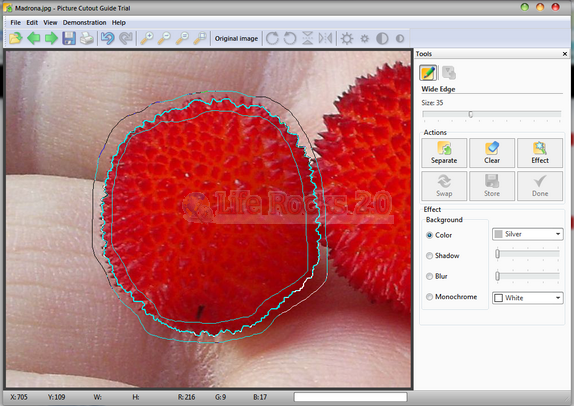
The lite version of the tool is completely free of cost. We tried the tool and used it to erase a background image and the results are really good. Once you have made the changes, you can save the images to your PC. When you remove the background from image, you can add a plain color background which can be specified when applying the results.
The application comes with tutorials on how to use it to remove backgrounds. Picture Cutout Lite is very useful tool and worth downloading.








The program is giving good results , both in its free and commercial versions .
Can the removed backgrond be transparent instead??
(.PNG)