

If you ever wanted to have cool looking menus on your website or blog, then you should be download CSS3Menu. CSS3Menu is a simple and easy to use freeware tool to create stunning CSS menus without any coding or JavaScript. You can build a cool looking rounded navigation menu, with no images and no JavaScript, and effectively make use of the new CSS3 properties border-radius and animation. This menu works perfectly well with Firefox, Opera, Chrome and Safari. It works with IE8 and IE7 without the rounded borders.
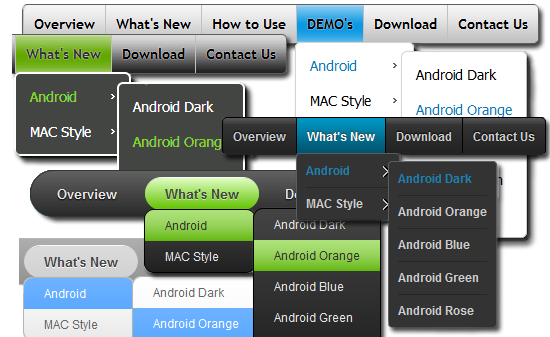
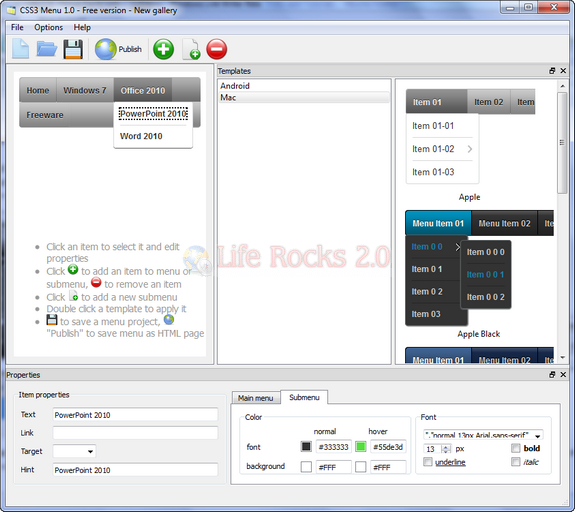
The application has two styles of menus- Android and Mac style. You can select your own theme and then start creating the menu items. The interface is very simple to use, you can add items and links to each of the menu item.
Related: How to Create Dropdown Menus using CSS without JavaScript
Once you have created the menu, click on publish button and you can save the code. You can use this code with CSS files on any website.
Features;
- No JavaScript needed
- Multi-level dropdown menu is created using CSS3 rounded corners, CSS3 shadow. Opacity, background and font colors, linear gradient and radial CSS3 gradient are also supported.
- SEO friendly
- Light weight
- Supported on all modern browsers
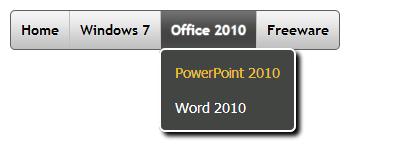
CSS3Menu is an extremely useful tool to create stunning menus in minutes without any coding effort.








this is a fantastic tool
Thanks for sharing! Great software!
There is also this one:
http://www.webestools.com/html-menu-generator-online-free-horizontal-vertical-css-javascript-navigation-bar.html
Thanks for sharing 😀