

Some of the software when installed, adds a toolbar to Internet Explorer and this can be quite annoying at times. System Tools is a simple freeware tool which can be used to do maintenance on IE. With this free utility you can change the default home page, title caption, right click menu and also toolbar additional items included in that. Apart from this, you can also selectively delete the IE history.
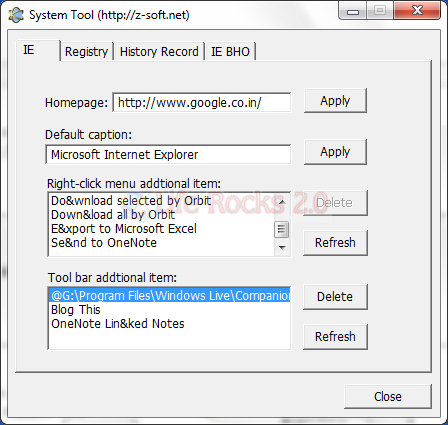
The interface is pretty neatly arranged in tabs. The IE tab has options to change the default page, title caption and the right click menu in IE, you can also delete the installed toolbars.
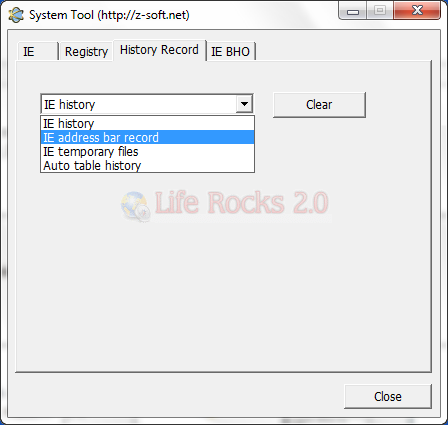
History Record tab, you can delete IE history, address bar history, temp files and auto table history.
System Tool is a simple portable tool to help you manage IE.








Great post! Maintenance like this will keep your browser running smooth and efficient!