

If you have the habit of carrying sensitive data in USB drives, then it is always advisable that you encrypt and protect the data stored in USB drives. Encrypting the data with a password ensures that in any case you lose your pen drive, data will not be accessible for people who get the USB drive. USB Safeguard is a simple utility that password protects your USB pen drive. Simply drag and drop files and folders to quickly protect your sensitive documents, and then enter an password to encrypt and decrypt the files that you want to protect.
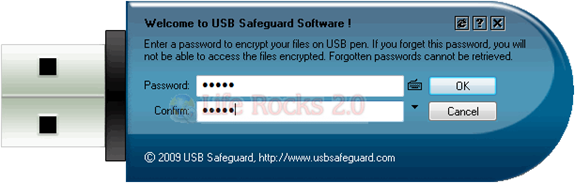
First time you use the application, you need to specify the password. It also provide an option to use on screen keypad. There is a provision to provide your phone number, so that in case your drive is lost, people can call you to get it back.
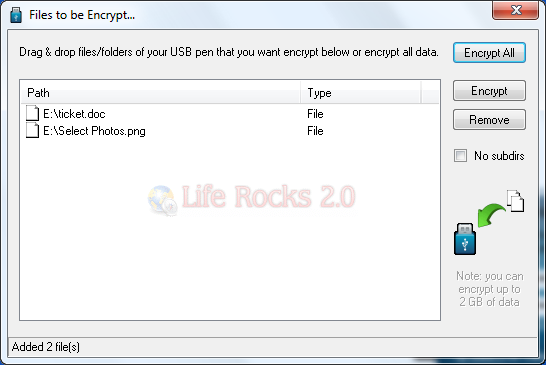
Once you have set the password, you can drag and drop the files you need to protect and then click the encrypt button.
It also has a built in file shredder to delete files securely.
Features;
- Runs with any USB pen drive
- No installation required
- Easy drag & drop file adding
- Built in file shredder
- Secure your data if drive is lost








if the usb drive plug into the mac computer after the software could not function then the file can able to acces? because it say windows only?
great post as usual!
This is a superficial review which does not address or answer any of the obvious questions.
It is clean that this utility takes an unencrypted file on the USB key and encrypts it and then deletes the unencrypted version on the USB key. Such “deleted” files are very easy to find and un-delete on the USB key. Similarly, when you want to access a file, your secure data gets copied to an unencrypted file on the USB key.
This is highly insecure, and this fact is obvious. How to address it ?
The open source TrueCrypt does NOT have these limitations. You can open a file within the encrypted space, work on it, and save it, all in the encrypted space, and never leave a copy lying around, deleted or otherwise, for someone to un-delete.
I’d have expected a more comprehensive review than just a product placement advertisement.
The deletion of the unencrypted files is done in many different ways – you are provided with a choice of what deletion method you would like to use. Personally I selected the erase according to Department of Defense Security Protocol method. One of the major limitations of TrueCrypt (well in this scenario) is that it isn’t truly portable for people who do not have admin privilege on the host computer or the computer they are using the thumb drive with.
I’m currently playing around with this program and I will come back with details to leakage or security of the ‘secure’ files when the drive is used.