We have written an article on how to switch between different Gmail IDs using a simple user script with grease monkey script. If you are a Windows Live Hotmail user, then you can quickly switch between different Live IDs without having to log in and log out. Windows Live Hotmail has a feature called Linked ID which enables you to quickly switch between different Live IDs.

To switch between different Live ID, login to Hotmail and open the account settings. You can also directly open https://account.live.com/summarypage.aspx to get the account settings page. Here you can see an option Linked ID in the left sidebar.
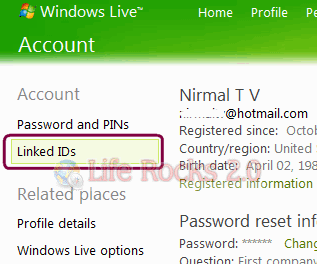
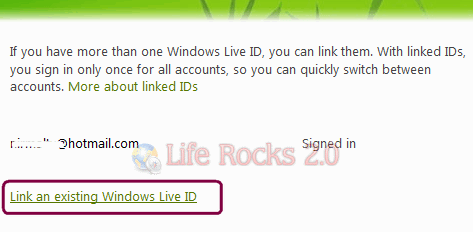
In the Linked ID option, click the link below Link an existing Windows Live ID.
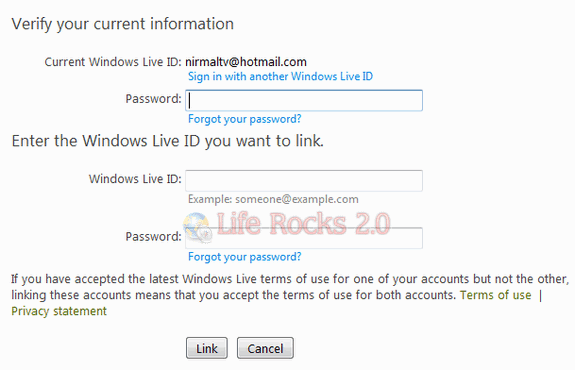
Next step, you need to verify the information, for this you need to enter the current logged in ID password, the email ID to be linked and its password.
Once you have completed this step, the ID would be linked to your account. Next time when you want to quickly switch accounts, click on the name on the top right corner and select the ID you want to switch to.
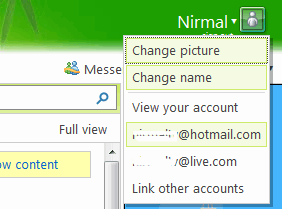
You can link any number of Windows Live ID making it easy to switch between them.