

TweetDeck is one of the most popular desktop tools for Twitter which is based on Adobe Air. There are lots of customization available in TweetDeck, but if something goes wrong accidently, then configuring them again might be a difficult task. Although TweetDeck provides an option to sync the application across multiple computers, this requires creating an account. If you want to back up the settings of TweetDeck to an USB drive, TDBackup should be helpful.

TDBackup has two Windows batch scripts. One for back up and the other to restore. They are meant to be run from a USB memory stick or other location but you can put them anywhere.
To take a backup, run the BackupTweetDeck file included in the zip file. In case you are running Windows 7 or Vista, run in administrator mode. This script will create a folder with the back up contents.
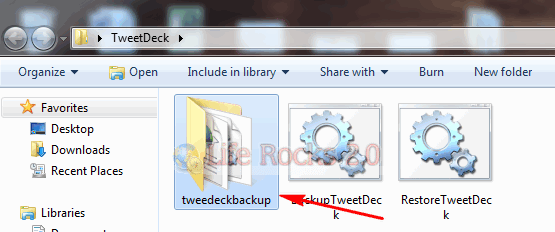
If you want to restore your settings back any time, just run the RestoreTweetDeck file using the admin privileges and this will restore all your backed up settings.
This script works perfectly in Windows XP, Vista and Windows 7.








yeah, thank you for you case.