

Are you tired of reading through your favorite blogs subscribed in your RSS Reader? Here is a simple application which can convert RSS feeds to streaming media so that you can now listen to the feeds instead of reading them. BlogRadio is an Adobe Air based free tool which can easily convert your RSS feeds into audio files which with the voice you select (female or male). You can just start the application and listen to your favorite blog feeds.
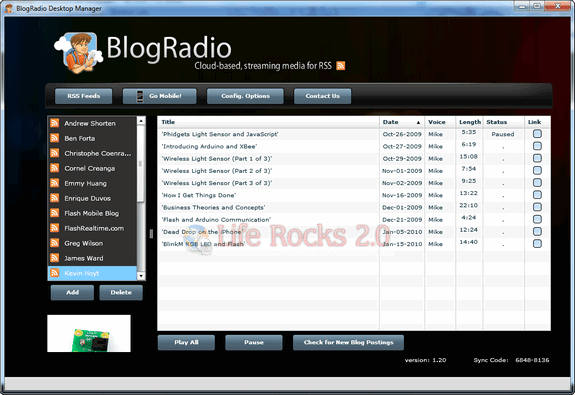
We tried using the service and found that the conversion was really good quality. In case there are images in the post, they are displayed on the bottom portion so that you can have a look at the images while listening to feeds.
How to use the application?
Just click on the add button and add your blog and the RSS feeds URL. Select a voice, female or male and wait for it to be converted. Once they are ready, you can just select the feed on the left sidebar and click Play All button.
In case you want to visit the blog to read it, click on the link option in the extreme end. It also displays the length of the audio file. Audio files are streamed from the cloud based system, so you do not have to download them.
BlogRadio also has an iPhone and Nokia application which can be found here.
BlogRadio can turn any blog into a podcast absolutely free of cost.
Since the application is Adobe Air based, it works on all platforms and you need to have Adobe AIR run time installed on your desktop.







