

PanelDaemon is a free web based service which allows you to manage Windows Services through your web browser or your mobile phone. PanelDaemon is written in ASP.NET and C# and it is designed to run under IIS. So for this application to run, you need to install IIS on your Windows. Once installed and configured, you can access the Windows services by typing the URL from a web browser on remote PC or mobile phone.
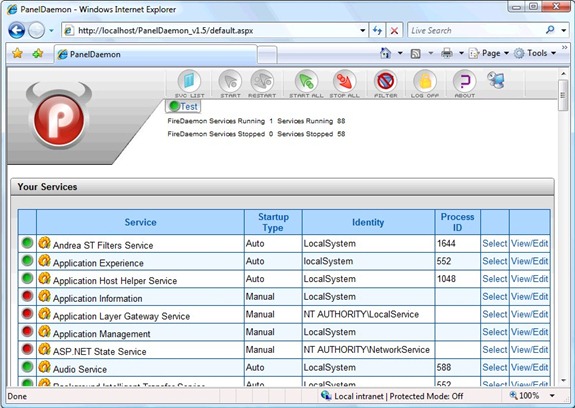
Features;
- Manage any Windows service via your web browser or mobile phone
- Ability to view/start/stop any Windows service )
- Ability to create/manage users with filtered “views” of available services (good for multihomed / multicustomer machines)
- Ability to edit service Parameters
- Built in RDP client for Remote Desktop sessions
You need to make sure that you are logged in as administrator account and also installed IIS. You also need to have NET 2.0 Framework installed.
PanelDaemon Installation and Users Guide is available online.







