

Windows Live Writer is an awesome application for all bloggers, but it supports only popular blogging platforms like Live Spaces, Blogger, Typepad and WordPress etc. If you are having a Posterous blog, then this Writerous plugin for Windows Live Writer is a very useful for publishing posts. This useful plugin allows you to configure Posterous on Windows Live Writer and then publish posts.
To access Posterous, first go to Tools > Options > Plug-ins > Writerous > Options from within Live Writer. You need to provide the username and password of Posterous.
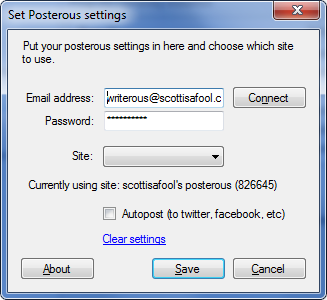
From here, you can also set whether your posts should auto post to Facebook/twitter/etc. The posting to these other sites is done from Posterous itself, all the plug-in is doing is telling Posterous to go ahead and do that.
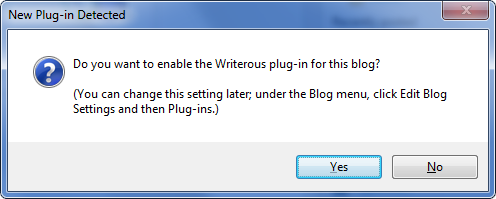
First time when you publish a post using this plugin, it will ask whether to enable Writerous plugin.
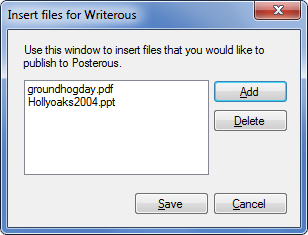
Apart from this you can also insert other files like PDF or PPT to Posterous blog which is a feature of Posterous and this feature can be utilized by a supporting plugin called “Insert Writerous Files”, which will allow you to select multiple supported files and add them to the post. From within Live Writer, just click on the Writerous Files option from the sidebar or from the Insert menu.
When a post has successfully published to Posterous, you will get a new screen telling you as such. This window will allow you to go to your post, or copy the post.ly link to the clipboard.
A handy plugin for Windows Live writer for all Posterous users.







