

Recently we had covered a simple method on how to back up your profile folder in Firefox 3.6 with about:support option which is newly added to Firefox. Here is another tool which can easily back up your Firefox profile- Portprofile . It is a java based application which can export and import your Firefox Profile. The interface is pretty simple with two tabs, one for exporting a profile and the other for importing a profile.
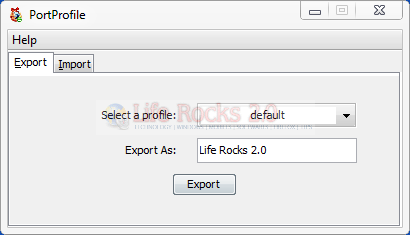

This tool is very useful if you are installing Firefox on another machine and want to use the same settings on the new install. You can use this tool to export the settings. The selected profile is exported as a .ppz file to the users home directory. This file can be used to import the profile on any other machine.
Features
- Compress and store profile
- Choice to choose among existing profiles
- Unzip and set profile








Thank you very very very much!!!
This work perfect!!! Thank you!!!
Can I use this to export from windows and import to ubuntu? #help!
@Anand,
I think its not possible as the application saves in particular format and may be the format is recognized by this tool. If the tool is compatible with Ubuntu, may be you can do. But I’m not sure of this.
I was able to export it, but was not able to import it in ubuntu as there was no support for the format jnlp (or i did not search enough for a solution).
But then, I was able to link the profile folders of firefox so that I can use the same profile in linux and windows . ..its the best solution!