

If you are using Opera Browser and want to back up all the browser data to another PC, then the free utility Opera Back up should be useful. OperaBackup is smart and easy to use application that lets you create and restore backups of all data as bookmarks, passwords, configuration, etc. of your Opera browser. Once installed, it can take a back up of all the user profile or a specific user profile.
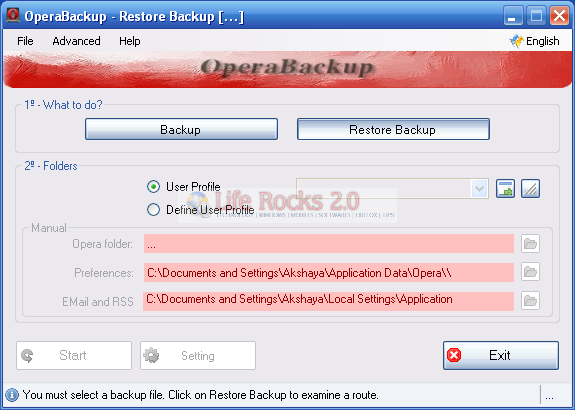
The interface is pretty simple and it provides you with two options, Backup and Restore a back up. You can select the user profile from the list of available profiles.
IF you are selecting the define user profile option, then you need to manually profile the path to the opera folder, preferences and also the email and RSS folders. Opera Backup is a pretty useful utility to back up and restore Opera profiles which includes bookmarks, configuration etc.







