

Clean Drive is a free application which allows you to find all files under a specified drive or directory (including sub directories) that are older than a specified number of days. You can specify the directory and also the number of days in the application. Once the application searches for the files, you are then given an option to delete these files including empty directories that match the age you specify.
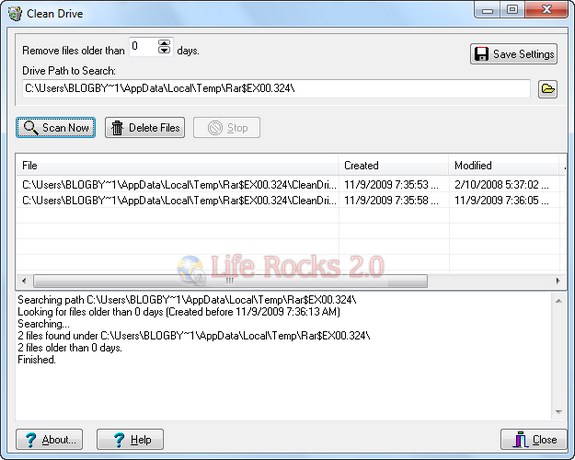
Features:
- Command-line parameters to facilitate scheduled purge of old files.
- Clean Drive will produce the following files which records Clean Drive’s activity:
- CleanDriveActivity.log – Contains a log of what the program did and any errors/warnings encountered.
- CleanDriveFiles.csv – Contains a list of all files matching the search criteria.
The system account that performs the search and delete must have rights to delete files and directories, as well as rights to write logs and settings to the same path where CleanDrive.exe resides. In case you are using it on Windows 7, make sure you run under administrator privileges.
You can use the application via command prompt as well. The application does not require any installation and can be directly executed from the .exe file.







Looks like a useful tool to help clean up your files! When deleting the files, however, are they put into the recycling bin on your desktop, or permanently deleted? I just recently came across a tool called Pandora Recovery on Bill Mullins’ site http://bit.ly/1KK1Nw that could help recover files should the latter be the case.