

If you have a good collection of photos at Flickr, then you can try using them as your Windows 7 screensaver. Flickr .Net Screensaver is a free application which can use Flickr photos as your screensaver. This screensaver uses the .Net Framework to get your photos from Flickr and display them as a screensaver for your viewing pleasure. It features the ability to select a wide array of photos, including your own, your contacts, your favorites or a from a group or global tag. Once installed, you can change the settings from the screensaver settings of your Windows.
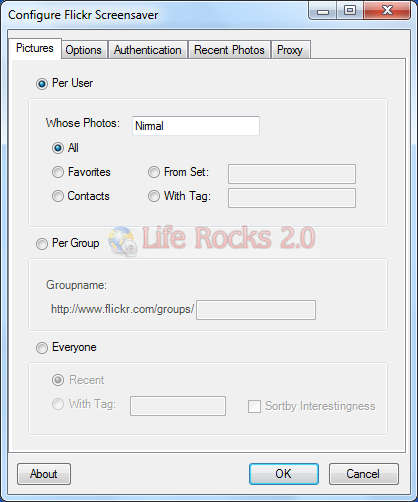
You will need to authenticate this application to use your Flickr photos. You can pull photos from your albums, contacts and also use a tag to get photos.
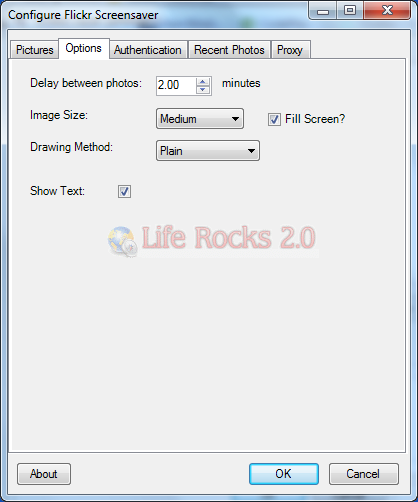
In the options tab, you can set the image size and the time delay between each photos.
The current version contains 2 different ways of displaying your photos:
- Plain – Simply display the photo, with or without its title and author.
- Postcard – gives the photo a colored border and the ability to randomly rotate the image, giving a Polaroid/postcard look to the screensaver.







Hi works great, thanks for the tip! And just one thing.. this screensave works great for Windows XP.. and not just for Windows 7 thats mentioned in the description