

FavBackup is a simple freeware tool to backup and restore your browser settings. The application is very quick and easy to use and also backs up settings from all the top web browsers IE, Firefox, Safari, Chrome and Opera. FavBackup does not require and installation and you can run the exe file from any location. You need to specify the location where the backups are to be stored as there are multiple files in the backup.
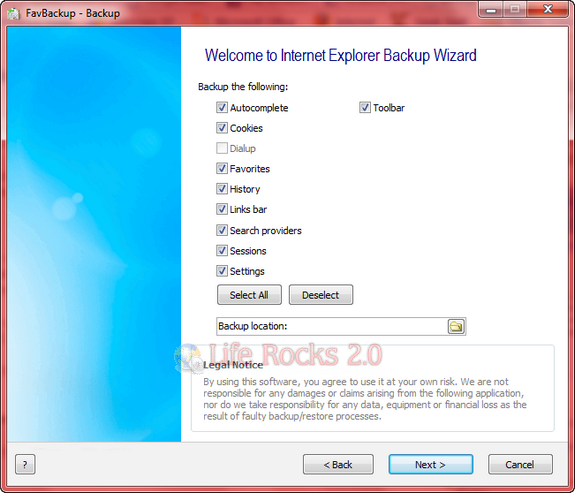
Featured below in the screenshot is backup from Internet Explorer 8 and these settings and selection varies based on the browser options and features available for back up.
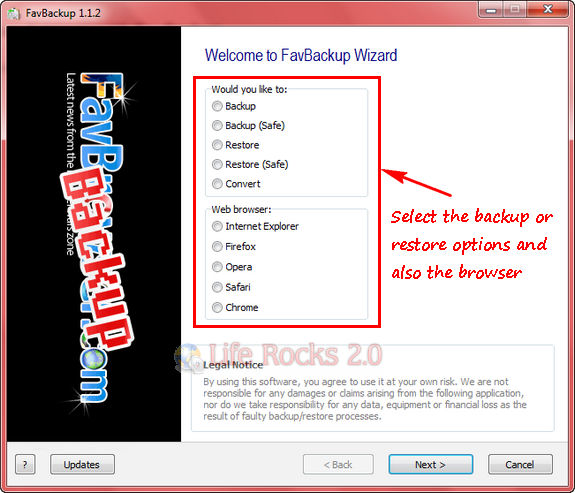
The tool provides option to back and restore browsers in safe backup as well. Regular backup/restore will save default/first profile only. If you have multiple same browser installations, you need to use safe backup instead.
The restore feature is very useful when shifting from one OS to another one. For example if you are moving from Vista to Win 7, you can back up the browser settings in Vista and then do a restore in Windows 7.
FavBackup is a very useful and handy tool for backing up browser data and is a must have portable software.






