

We have already seen some free tools to merge PDF files. ArduoPdfMerger is a freeware tool which can be used to split or merge multiple PDF files. The tool is very simple and easy to use with good interface. The advantage of using this tool is that you can split the PDF based on the pages and you can remove any particular page from the original PDF and then merge the new files into one. This can be done for multiple PDF files.

The interface is pretty self explanatory, you need to click on the add button and select the PDF files. You can either chose to split the selected PDF or add the PDF as one file.
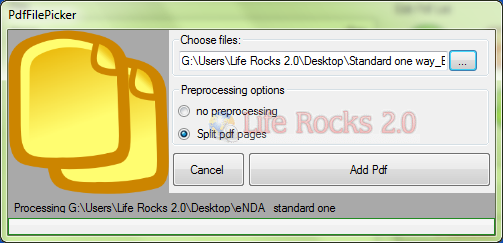
The splitting is done based on the number of pages in the original PDF file. Once you have added the PDF files, you can remove any particular page from any PDF, provided you have split based on pages.
Features of PDFMerger;
- Split a PDF file into many PDF files
- Extract pages form a PDF file
- Merge multiple PDF (or only a part) into a new PDF
This application requires .NET Framework 2.0. The application installer check its presence. If it is not installed, installer try to download and install it. Vista user have to run it as administrator to handle protected files.







best softwre to split and merge pdf files