

RAMRush is a free memory management utility for Windows. RAMRush can efficiently optimize memory usages of your Windows OS and also free up physical RAM which can make your PC work faster. Apart from the memory optimization, it can also be used to prevent system crashes, memory leaks and keep your computer running more efficiently. RAMRush runs from the system tray and is a very simple application to use.
Features of RAMRush;
- Increase system performance
- Increase the amount of memory available
- Defragment system physical memory
- Recover memory from Windows applications
- Remove memory leaks
- Prevent system crashes caused by memory problems
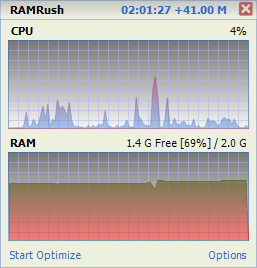
- Display the real-time usages data of CPU and RAM
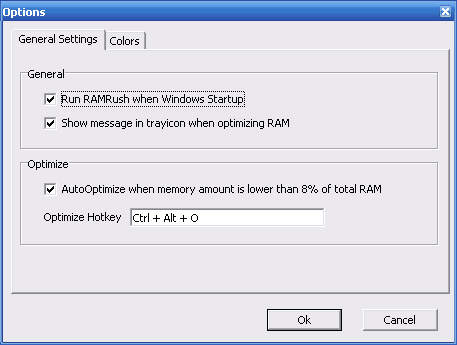
- Hotkey to do optimization
- Click to do optimization
- Quiet mode in Windows tray
- AutoOptimize mode support
- Command line mode support (eg: ‘PATHOFRAMRUSH/RAMRush.exe -AutoOptimize’)
RAMRush is supported on Windows 98, Windows ME, Windows 2000, Windows XP, Windows 2003, Windows Vista, Windows 2008 and Windows 7.







Downloaded, small in size, will check it
Tried it and didn’t notice any difference on my old pc. Compared to this MemoryCleaner actually manages to unfreeze applications whenever I use its Trim Processes’ Working set.