

SnapShot is a very useful and free application for taking screenshots as it allows you to grab your desktop, window, or any part of the screen and save it as JPG or PNG. This application is not just for taking screenshots alone, it can send the image to your favorite editor, for further editing. The utility also allows you to send the screenshot as email or upload them via FTP.
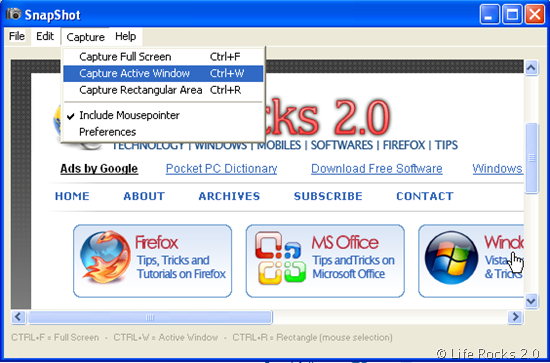
Features of SnapShot;
- Capture screen, window, rectangular area
- Global hotkeys to instantly activate screen capturing
- Options to specify output destination (file, editor, clipboard, printer, e-mail)
- Save in BMP, GIF, JPEG, PCX, PNG, PSD, and TIFF formats
- Run minimized or minimize to System Tray area
- Include mouse pointer, play sound on capture
- Supports multiple monitors and Dualview
- Automatically save screen captures, automatic filename generation
- Send screen captures to Paint or to your favorite image editing program
- Send screen captures by build-in e-mail (supports Exchange Server)
- Upload screen captures by build-in FTP engine (File Transfer Protocol)
You can set a folder for auto saving of images so that all captured images are saved automatically to this location. You can also set the quality of JPEG images for capture. SnapShot is a very handy utility for screen capture and is completely free.







