

Amazon S3 hosting service does not provide any user interface to upload and preview uploaded photos. Previously we had written about WLW Amazon plugin and there is also Amazon S3 Fox add-on for uploading files to Amazon S3. CloudBerry Explorer is a free application for Windows makes managing files in Amazon cloud easy by providing an user interface to Amazon S3 accounts, files, and buckets, CloudBerry lets you manage your files on cloud just as you would on your own local computer.
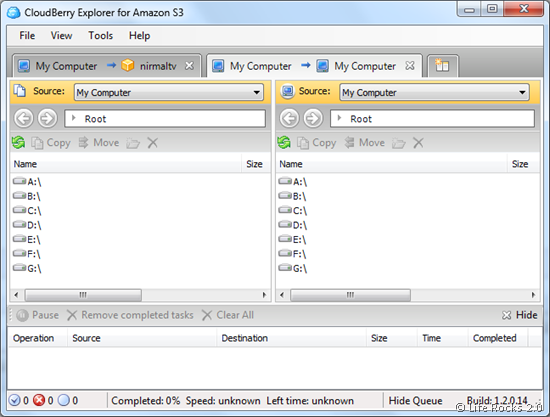
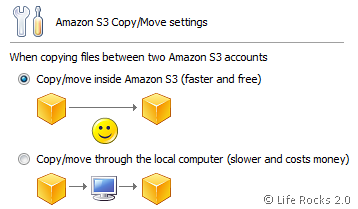
There are many features which makes CloudBerry is a great apps for Amazon S3. It has the ability for tabbed browsing, so that you can open multiple instances. Apart from this you can also move files between different Amazon accounts easily and quickly without downloading.
Features of CloudBerry;
- Support for Amazon CloudFront service
- Support for CNAMEs
- Support for time limited or signed URLs
- Apply ACL list to child objects (files inside a bucket)
- Register and connect to any number of Amazon S3 accounts
- Work with any number of Amazon S3 accounts simultaneously
- Fast copy files between your S3 accounts
- Share buckets and files located on Amazon S3 with other users
- Create, browse, and delete S3 buckets
- Copy and move files between Amazon S3 and your local computer
- Set up file access permissions
- Generate external URLs








Thanks so much for featuring CloudBerry Explorer in your blog!
Thanks for the tips. I’be been looking for a client to run Amazon S3 on my iPhone and the OpenS3 that you referred me to, which is a service run by smestorage.com works great. Very slick for an iPhone web application. It seems from their blog that these guys also have an iPhone App Store version out soon. I’ve been actually pretty impressed with their product. I’m not sure whether you knew when you were doing the review, but I signed up and started using their windows tooling also. It really is slick. It has a vritual drive like Jungle Disk and also a sync centre for automated sync and it has some toolbar plug-ins for Outlook, MS Office and Open Office. Best of all it is free !