

If you have installed Windows 7 beta on your PC, then you might also be interested in installing free Windows 7 themes, Wallpapers and gadgets which are provided by Microsoft. These are official themes and gadgets from Microsoft, so you can go ahead and install them. All the themes, wallpapers and gadgets are available for download free of cost.
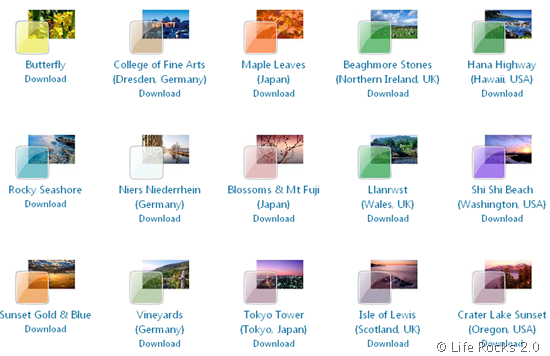
When you download any theme, a file with the extension .themepack will be downloaded. Simply double click on the downloaded theme file, the theme will be automatically installed.
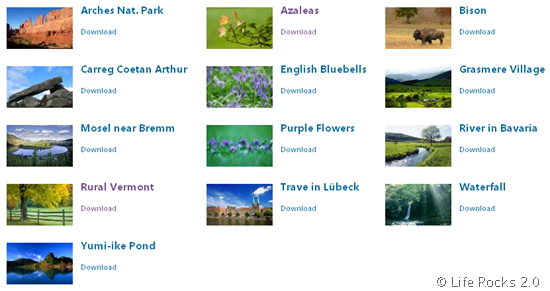
The wallpapers available are all high resolution ones and only a few numbers are available as of now. The gadgets can be downloaded from Live Gallery.
Download Windows 7 Themes and Wallpapers (from Microsoft) [Via








Your website is very useful to me and make this website more graphically.
What themes and this gadget works on windows xp?
cool
Really cool , Thanks for sharing! =)
I like windows 7
i like windows 7
it is very nice ma
windows 7 is great, in fact i am a computer technician and my costumers love it!!! they just love how it looks!!!
very very nice
thnak’s man 😀
nice themes thancks
Beautiful theme, but for awesome wallpapers just look at http://www.ewallpaperstock.com
very good themes.i like most.
i love this windows 7
windows7 is very nice
thank u for ur great help, i sarch some web site but this site is very useful 4me.
plz add more beatiful themes…………………
very good
very goooooooooood
I like most and most windows 7 thank you for designing such a beautiful creation.please add some moe 3d wallpapers and gadgets.
Even though xp is faster, in my opinion, windows 7 is much simpler! Good for gaming too. My husband disagrees with me.
Love love windows 7 with this AWESOME gadgets ! thanks
it is good but how will i download it
i like windows 7 i was take it yesterday.
Great Post, the link below also introduce a good website to download wallpapers for free. Hope you like it. Thanks.
http://www.quertime.com/article/arn-2010-09-02-1-where-to-download-free-wallpaper/
comparing with the old one, windows 7 is much better. Have a lot of smart & nice feature, I like it very much.
Thanks for sharing the themes.
incredible themes…..!!!!!!