

Most of the file comparing application generally compares the content inside the file. Here is a free utility called Comparer which actually compares the file properties instead of the contents. This application takes two files (or only one) and views their properties: ID3 tags, resolutions or EXE headers. You can add WDX plugins and WLX plugins so that the application gives more details on the properties.
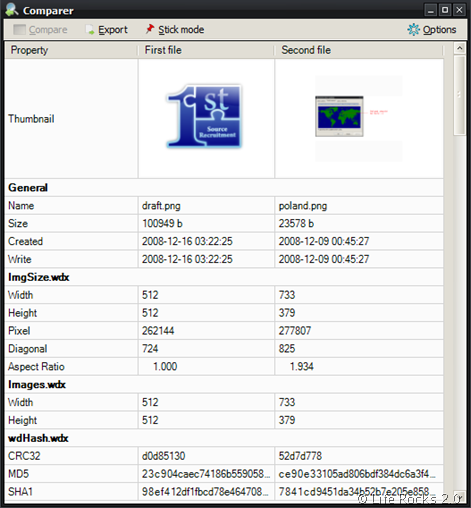
Features of Comparer;
- Info can be copied using Ctrl+C or Shift+C keys;
- Generated info can be exported;
- Thumbnails visible in simple list;
- Automatic info refresh after Options change;
- Configurable default plugins path with Scan for plugins feature;
- Visible plugins fields can be specified;
- Possibility to use different configuration files,
- Possibility to specify external comparing applications on separate tab,
- Thumbnails support for various file types
- View modes: either all details view or differences only,
- Drag and drop support for adding new plugins – drop WDX file into proper area and you will get files extensions suggestion







