

Windows 7 seems be becoming hot topic of discussion ever since it was previewed at PDC 2008. There are lots of themes, wallpapers, taskbars etc being created based on Windows 7 for Windows Vista. We had previously covered Windows 7 themes, wallpapers and boot screen for Vista. This post covers resources required to transform your Windows Vista to the look and feel of Windows 7.
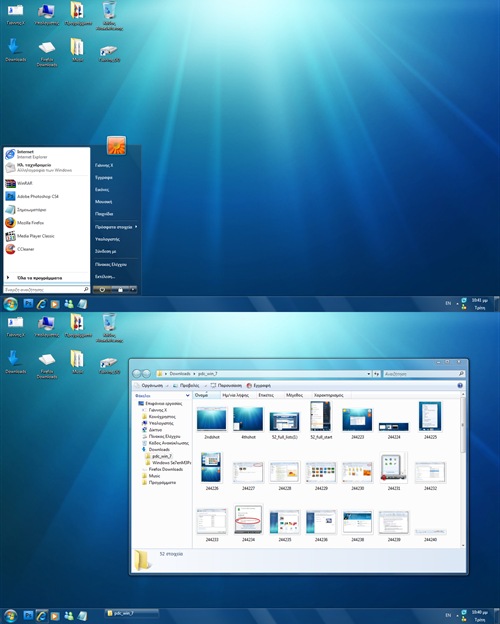
1. Windows 7 Theme:
2. Windows 7 Boot Screen:
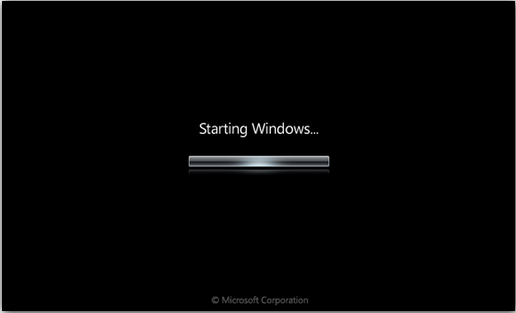
Download Boot Screen [ Installation]
3. Windows 7 Logon Screen
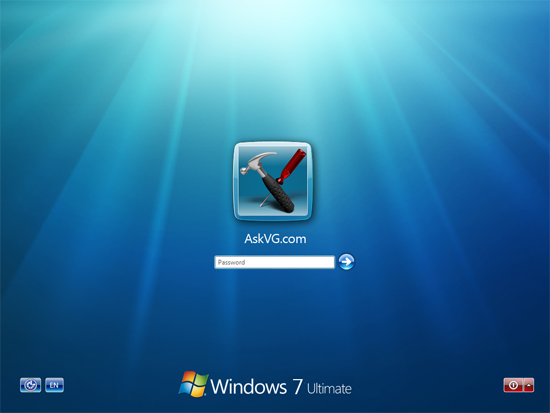
Img Credit: AskVG
4. Windows 7 Wallpapers

5. Windows 7 Icons on Taskabr:

With these themes, hacks and wallpapers, you Vista would now look more or like Windows 7.








That’s a wonderful article mate. It’ll help lots of ppl and thanks for mentioning my articles as well. 🙂
Everytime I go to use the theme it doesn’t work. I install it in the themes folder in windows>resources. then i go to apply it in tuneup utilities and it says to amke sure that the file is a valid visual style for your OS (vista)
Scott:
I believe there is an article in life rocks on how to patch vista to use a third party theme, if not, Google “allow themes vista” and you’ll find what you need.
everything worked except for the logon screen. i get the background but not the Windows 7 Ultimate at the bottom …. mine still says Windows Vista
Is the Windows 7 patch available for Windows xp?
hola me preguntaba si podrian mandarme las instrucciones de como instalarlo a mi correo
cuando voy a instalar el theme me dice que no puede encontrar una ruta especificada
Very Good?
???
hey nice article man.. very good
To see ‘Windows 7 ultimate’ you need a patched basebrd.dll located in x:\windows\branding\basebrd\
you have to open that file with ResHacker and replace the 1st 4 bitmaps with the ones u find @
http://www.mediafire.com/download.php?zwmjwhdgfdi
very good.TanQ
thnx so much
It like a very good windows but how to dowload it
reply me as soon as possible please. ?????
If you want windows 7 superbar, you can install winstep to your xp or vista =)
hey, i was thinkin of converting my vista into 7 n need some advice.
what do u think?
i can’t open the files to change it.
Damn 7-zip and Winrar!!!!
help me!!!
will give it a try
I am downloading it 😀 .Thanks in advance if it works
i am downloading windows 7 form here:(http://thepiratebay.org/torrent/4960160/Windows_7_RM_(7260-0-090612-2110)_Ultimate_32_bit_GHOST_MStone) is it good?
and second how i am going to upgrade it to my vista whith out doing format?
and third i heard about free keys by microsoft, if is true were can i find it?
thanks for reading..
answer me as soon as posible please…
how i change window vista to window 7, is it better than vista and how much time has validity.
no puedo sustituir el archivo “winload.exe.mui” en la carpeta C:\Windows\System32\en-US
como lo hago??
I think its very good software that ever created by microsoft.
Tengo Window Vista en mi computadora.Como puedo intalar Windows 7 y cual es su valor.
will the transformation permanently delete all my files?
This window is very smart and sexy window
i want chang my windows vista to windows7
Am was actually searching for this and nothing else (For my Sister). Your Windows 7 themes made my sister much happier than ever
Thanks…