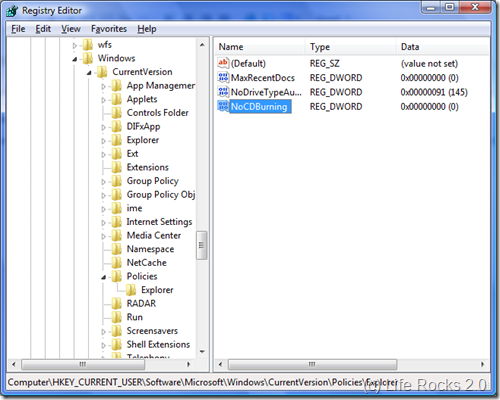
There are lots of free application with good features for CD/DVD burning in Vista, so you can turn off Vista’s in built CD burning function. This can be easily done through a registry entry. To do this Click Start- Run- Regedit. This opens the registry editor of Vista. In registry editor navigate to HKEY_CURRENT_USER\ Software \ Microsoft \ Windows \ CurrentVersion \ Policies \ Explorer.
NB: Please take a back up of Registry Editor before making any changes. Author will not be responsible for any damages caused to the registry.
Right click and create a new DWORD (32 bit) key NoCDBurning.
Double click on the newly created DWORD value and enter value data as 1.
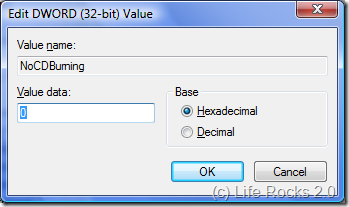
Click OK and close the registry editor. Now log off Vista and log in again to see the effect. Default CD burner will be disabled in Vista.