

Vista Utilities is an all-in-one free utility which provides you with a direct and easy access to almost Windows Vista programs, tools and even games. Those utilities helps you to manage your system configurations, security and performance. Most of the times, it might be difficult to locate a feature which are not used frequently, in the control panel of Vista. Vista Utilities groups the features in Vista into different categories so that its easy to identify them.
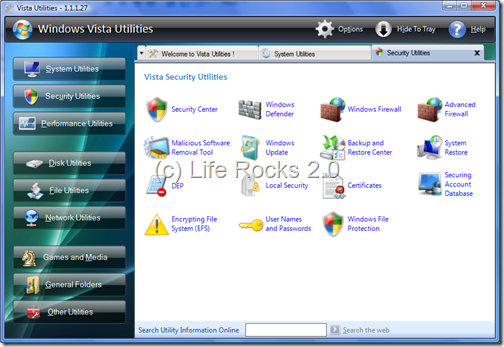
The application divides the features and functions of Vista in 9 categories or groups- System Utilities, Security, Performance, Disk, File, Network, Games and Media, General Folders and Other utilities.
When you select a particular category the programs and functions are open in separate tabs at the top the Window. Apart from just helping you accessing all utilities at one place, it provides you with a ready-made MS Dos commands like NTFS Converter, Cab Files Maker and many more which enables you to perform difficult tasks with simple clicks.
Vista Utilities itself can be accessed through the system tray and can be hidden instantly using the Hide to Tray button, just right click on Vista Utilities icon in the system tray near the system clock and a complete context menu will appear that enable you to access all Vista features form any where from your computer.
Vista Utilities is a great tool to access all programs at one place and definitely worth trying utility.








Is this application from SM or is it a third party application??
Thanks very useful app
A new version of Vista Utilities was realeased