

Service Tweaker is a a freeware application to manage and control Windows services. Service Tweaker allows you to modify Windows Services which in turn helps you to speed up the PC. Service Tweaker is a simple application which shows the list of all running services with complete control on modifying the services. It can start or stop any service.
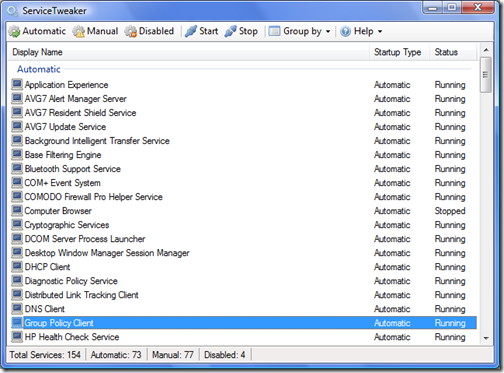
The most important and handy feature is the ability to change the startup type of services, because it allows you to tweak the ones that you don’t need or don’t want at all to be run on your computer. With this tweak, the boot time of Windows will be decreased. It can also group the services by status or start up.
Service Tweaker is available in two forms, one is a standard installer and other one a standalone application, so you can check the services from anywhere. There is also an installer for U3 devices.
Although Windows Services can be modified from Windows Service Management tool, this free tool can change the settings in lesser clicks and much more easier. Service Tweaker is currently in Beta, so we can expect more features in the final version.








quite useful tool, will be using it more often