

FosiX Lite is a tool developed to get a better view of the hard drive with space occupied and remaining. FosiX can get the storage consumption of the folders including their subfolders in a browsable chart or size tree view structure. You can easily navigate through these visualized folders by clicking on the chart elements or by using keyboard shortcuts.
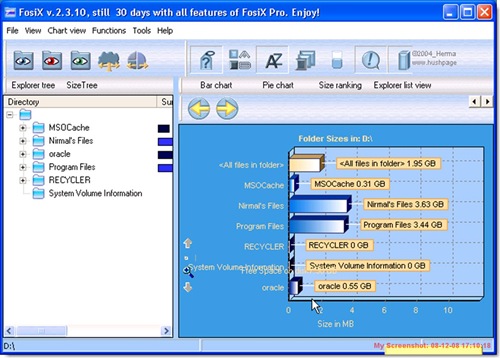
You can navigate to folders using the tree structure making it easy to find the size of the folders rather than right clicking each folders and finding out the size using properties. You can browse through and manage those folders by the visual chart elements representing folder size. You can scan the entire hard disk, save and load the size tree and update while you are working. You can export the graphs, to an image or export the size tree to excel, html etc. FosiX also provides a “size ranking” list let you find those big ones in one glimpse.
FosiX also helps you to find and clean temporary files. FosiX is a simple utility to clean up your hard disk and reclaim space.








Nice tool ! Quite Unique .
Looks nice… need to give a test ride….
Love the way that it displays those graphs. Nice find Nirmal.
What about a similar program, called SizeMeNow:
http://www.ketara.ca/folder-sizes-disk-space.html
Has anyone used this?