

If you are dealing with large documents which has hundreds of pages, then it will be difficult to go through the documents quickly. A solution to this problem is to create bookmarks in the documents and these bookmarks can be accessed quickly from the menu. To create a bookmark, open the document and navigate to the plcae where you want to create one.
In the Insert tab in the ribbon, click Bookmarks.
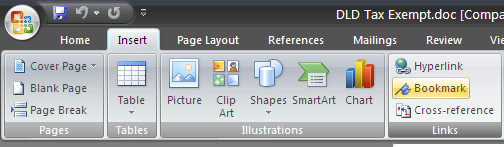
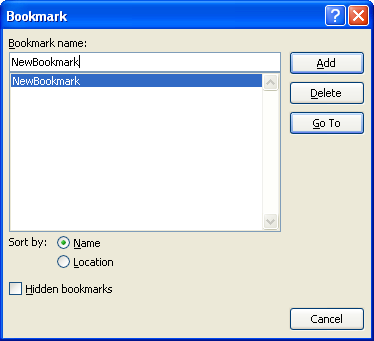
Enter a name for your bookmark, make sure that there are no spaces in the name. Click add and bookmark is created.
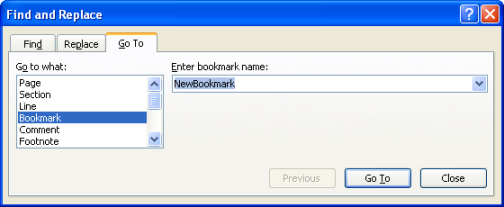
To navigate to any bookmark, press CTRL +G or click on Find button in the ribbon and select GoTo tab. Select the Bookmark and click Go To.






This is really great option and will be quite useful for me … Need to check whether the same is available in Word 2003.
@Kanak,
This is available in Word 2003 also.
Nice to know about this little feature, Same as View feature for excel sheets.
detect my ip for all internet users. Just simple page without ads or other useles information.
php request ip for any body. Just simple page without ads or other useles information.
php request variables for everyone. Just simple page without ads or other useles information.