

If you use online version of popular email services, then you never know when an issue can delete your emails. Recent issues with Gmail and Hotmail have proved the need for a back and archiving of your emails. MailStore Home is a freeware tool for Windows which allows users to archive and backup your email services. This app can archive and back up email services like Gmail, Yahoo mail, Outlook 2010, Thunderbird and other services.
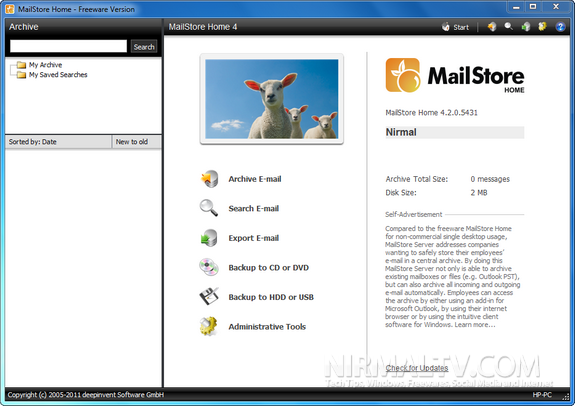
With the tool, you can archive, export, backup to CD/DVD or even backup to HDD or USB. When you archive mail, you need to specify the method you want to retrieve the emails, you can use IMAP or POP3 for accessing emails.
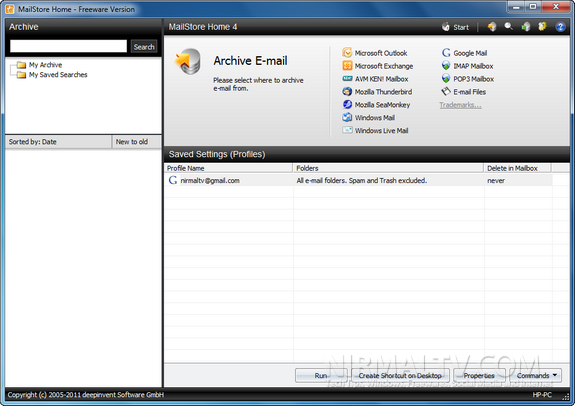
This could also be helpful if you want to move emails from one service provider to another one. You can also archive emails based on a schedule as well. With the free MailStore Home Portable, you can create the email archive on any USB flash or USB hard drive. MailStore Home Portable can be started directly from the USB store without any previous installation.
Supported Services;
- Internet mailboxes such as Gmail or Yahoo Mail
- Any mailboxes using POP3 or IMAP
- Microsoft Outlook 2000, XP, 2003, 2007, 2010
- Microsoft Outlook Express and Windows Mail
- Microsoft Exchange Server and Hosted Exchange
- Mozilla Thunderbird and SeaMonkey
- .EML and other email files
MailStore Home is a nice way to keep a backup of your emails.
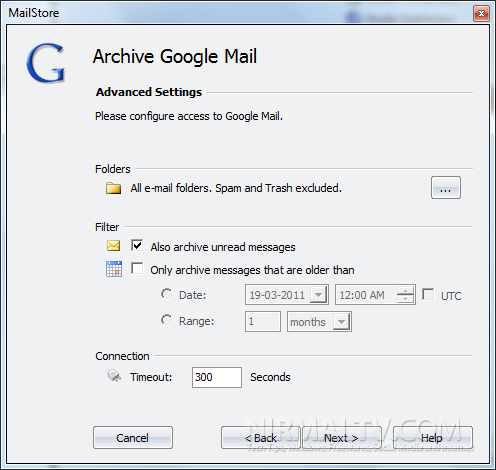
You can also try out IMAPSize for incremental backup of Gmail.








For more information about backing up Gmail with MailStore look at this:
http://blog.mailstore.com/en/2011/03/03/googles-2-step-authentication-and-what-it-means-to-mailstore/
You, my friend, ROCK! I found just the info I already searched all over the place and simply couldn’t find it. What an ideal website.