

In Vista, the ability to have custom backgrounds images in explorer view is not available. But this functionality can be enabled using a freeware called Vista Folder Background. This small application makes folder backgrounds possible and can be automatically applied to subfolders.
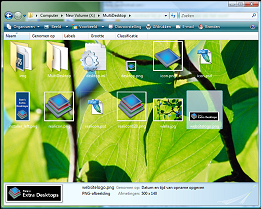
In order to set a background, right click on the folder and check the folder background settings.
Installation/ Uninstall
1. Unzip the file and run the install.bat
2. To uninstall run uninstall.bat and restart the PC
Download Vista Folder Background








WOW…Thats a cool application…Nice find…
Nice find Nirmal. This looks beautiful in Vista
the link is dead. please fix it