

Photobie is a free image editing software with multi-layer support. Photobie includes many embedded filters and supports many Photoshop filter (.8bf) plug-ins. Photobie also has advanced screen capture tools and it is also a perfect digital scrapbook tool that allows you to apply masking and templates easily and efficiently. And it is a perfect animation tool that allows you to create GIF animation efficiently.
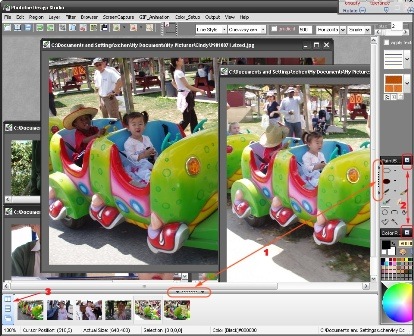
Photobie is a .NET windows application, so a .NET framework 1.0 or higher must be installed before running Photobie. With Photobie, you can do lot of jobs what Photoshop can do such as resizing, rotating, flipping, adjusting brightness/gamma/transparency, doing select/copy/cut/paste any shaped portion of image, erasing/moving/adjusting layers, drawing/filling colored shapes as well as text, converting the image format and quality, saving current editing workspace.
Download Photobie | .Net Framework








A very nice share, Nirmal. This could be used for quick image editing, when we don’t have Photoshop anywhere near. Thanks!
Till now I used only photoshop which consumes much of my system resources… Let me give it a try..
Hi Nirmal,
Back again.
For quick images editing, photoshop is certainly avoidable. It is a real bloated piece, meant for professionals.
At least that’s what I think.
Quite handy tool for quick image editing and Gif animation is a nice touch