

Many times when you copy files in Windows, we encounter file copy errors and the copy rate is very slow. TeraCopy will help you copy files faster and saves lot of time. TeraCopy employs dynamic buffers and asynchronous copy methods that considerably reduces time. TeraCopy is a compact program designed to copy and move files at the maximum possible speed, providing the user a lot of features.
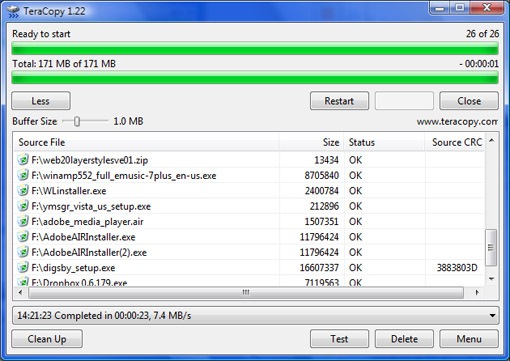
Features of TeraCopy;
- Copy files faster
- Pause and resume file transfers
- Error Recovery
- Interactive file lists
- Windows Explorer Shell Integration
If you need to copy multiple files, you can drag and drop files into the interface, select the Copy or Move to folder. TeraCopy also allows you to pause file transfers and then resume it later. To copy files with TeraCopy, you dont need to start the program every time, it is integrated into right click menu of Windows.








yeah it is a good utility and i found it interesting
Yes It is a great utility.
Initially when i reviewed it, i found it not VERY useful, but see, now i use it regularly 🙂
Real nice tool, Its effect is seen clearly…
Nice utility. I frequently copy contents between my hard drive. This will be useful
nice prog man thx
I want to participate.
Another option to check out is File Pilot Copy. They have a free “no registration required” eval download at http://www.filepilotsoftware.com . It is super fast, particularly for update copies, and has an easy to use GUI interface (but can also be run in a batch mode like a script).